

Search release notes
Search every release note by keyword, narrow by category, module, or release stage.
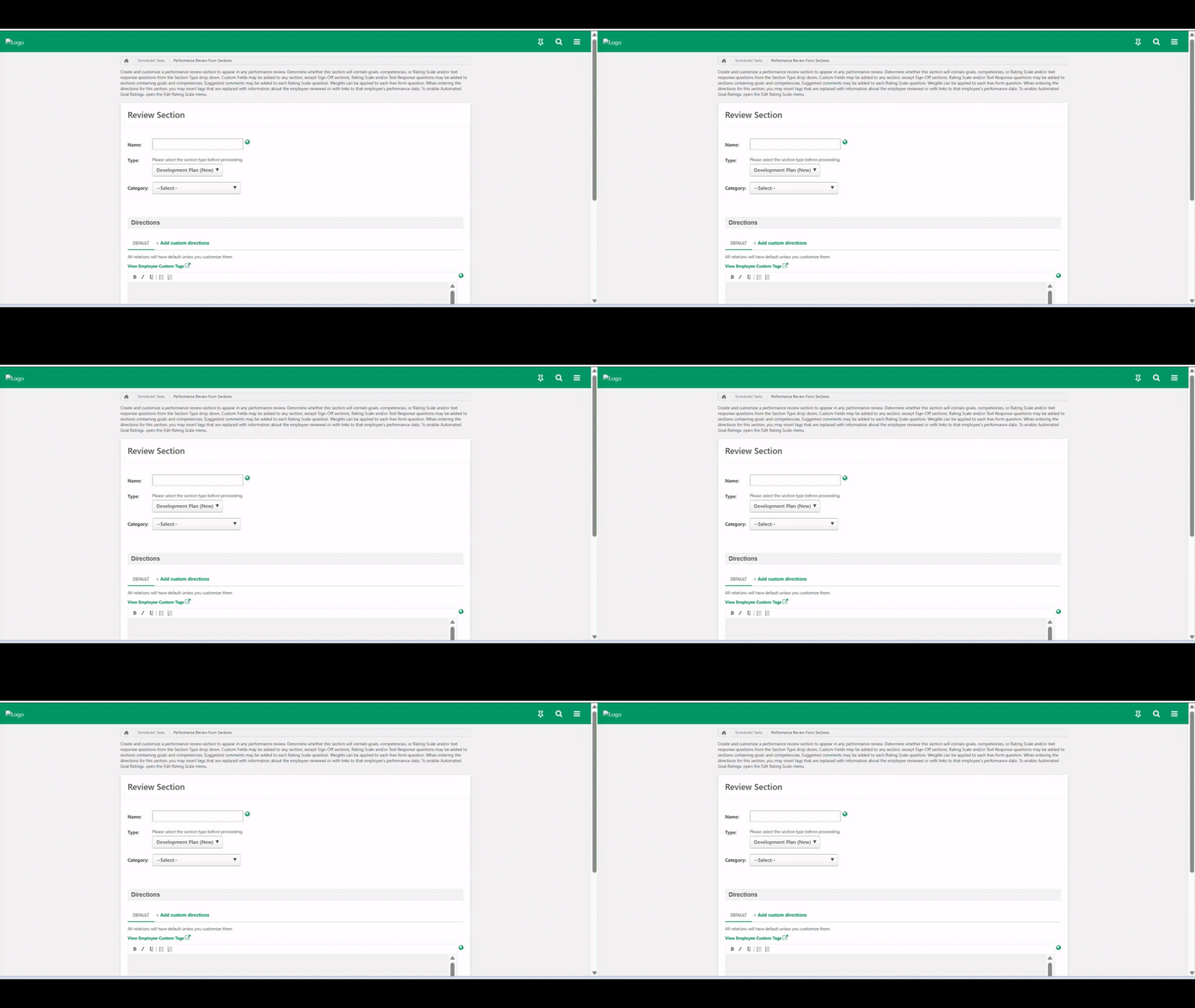
New Development Plan Section in Performance Reviews
This release introduces a modern, unified development planning experience directly within the performance review workflow. Employees and managers can now create and edit development plans—adding objectives, skills, learning items, and tasks—without leaving the review task. The redesigned section aligns visually and functionally with the standalone Development Plan module and syncs in real time once reviews complete.
Plan Purpose Field for Development Plans
Development plans now begin with an optional Plan Purpose dropdown that prompts employees to define their underlying motivation before building a plan. This anchors each plan to a clear intention—growing in the current role, preparing for an aspirational role, performance improvement, or skill building—reducing vague, unfocused planning. The field also lays the foundation for upcoming AI-powered recommendations.
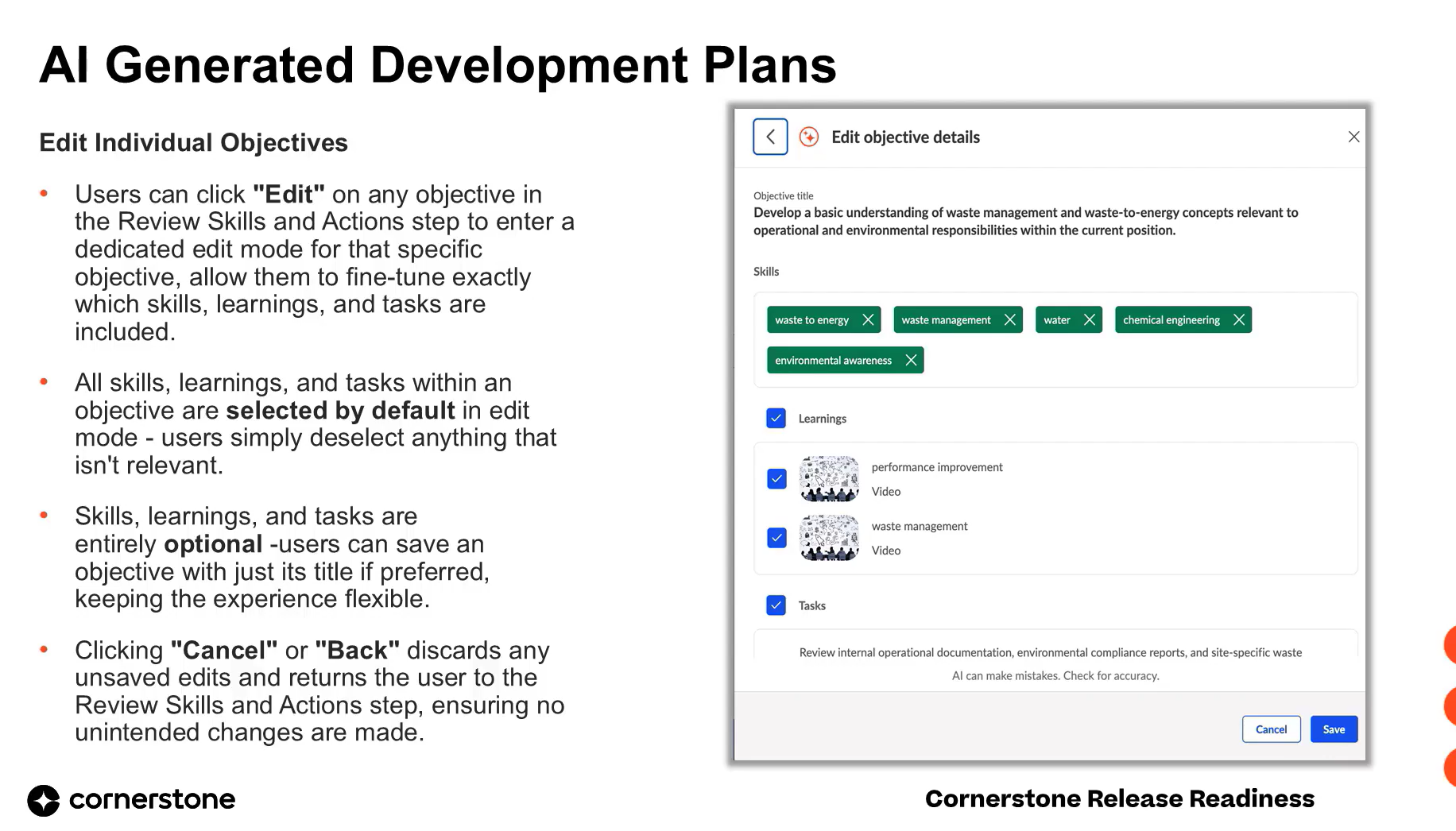
AI-Generated Development Plans for Performance
This release introduces AI-generated development plans, allowing managers and employees to instantly generate objectives, skills, learnings, and tasks based on plan purpose, title, and user profile. It replaces the slow, manual planning process with a fast, scalable workflow that produces relevant, high-quality, personalized plans. The capability is available to Performance Suite customers signed up for Elevate+.
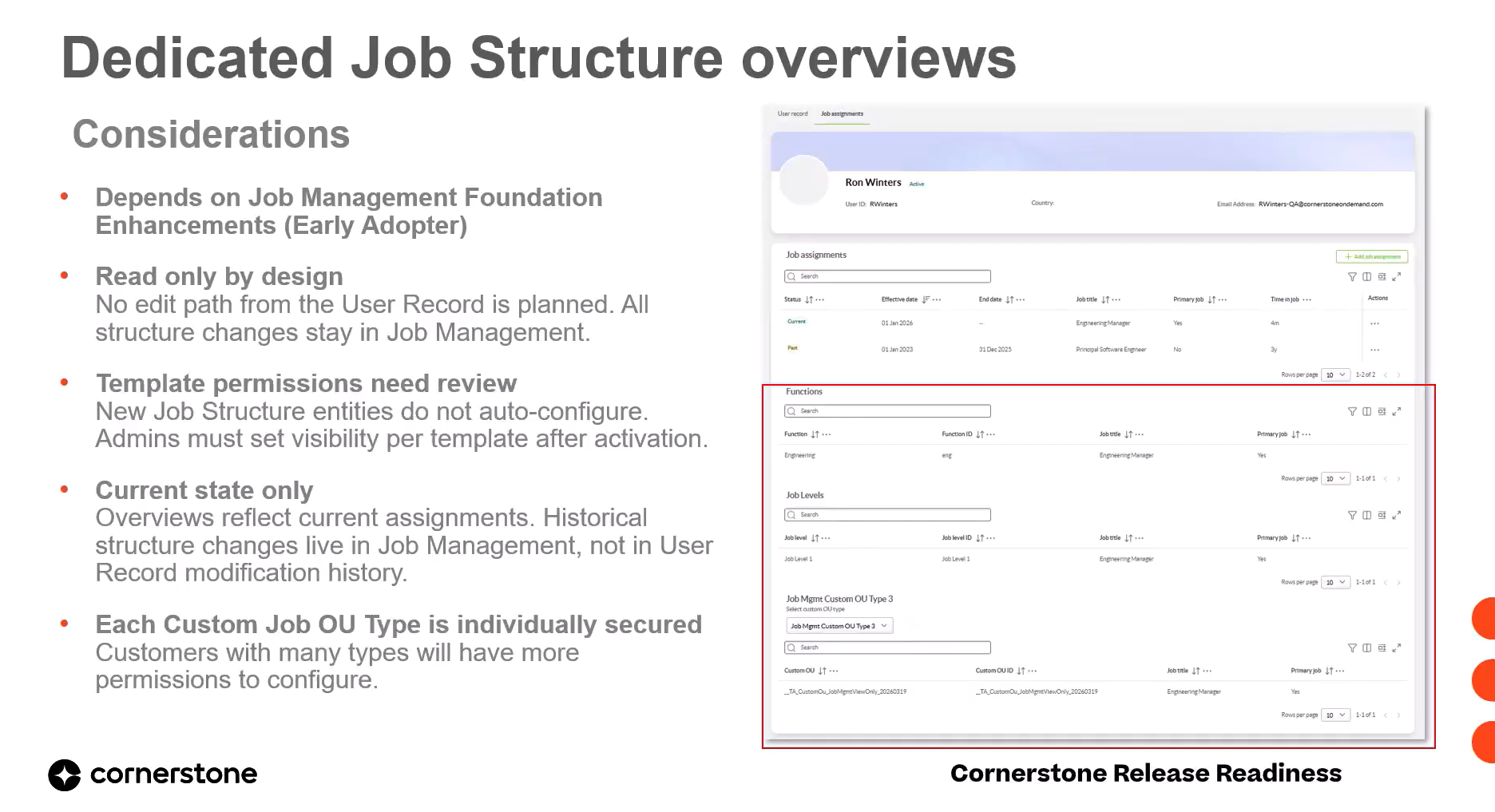
Current Job Structure Overviews in the Unified User Record
This release surfaces a user's current job structure—job levels, functions, and custom job OUs—as dedicated read-only overviews on the unified user record, sourced directly from Job Management. Job assignments remain visible across past, current, and future timelines, but structure details always reflect only the user's current assignments. Each overview is an independently secured entity within user record templates.
 Early Adopter
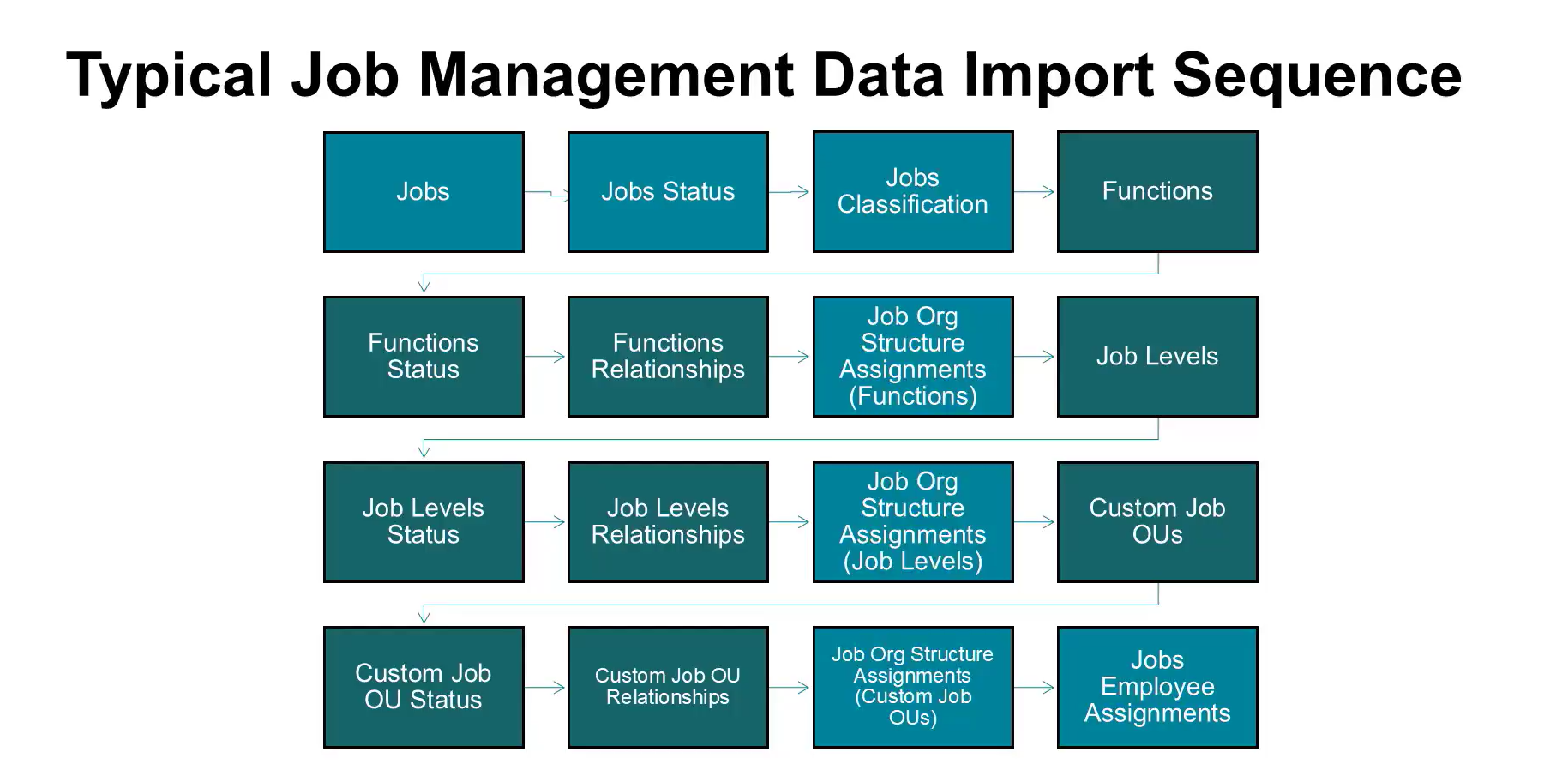
Job Management Foundation: Jobs, Custom OUs & Detection
This July release enhances the Job Management Foundation, giving admins more flexible tools to manage jobs and their structure. It introduces custom OU types tied to jobs, custom field management, AI-based next job detection, and expanded Edge Import data loads. These changes improve job currency, consistency, and integration with other talent management processes.
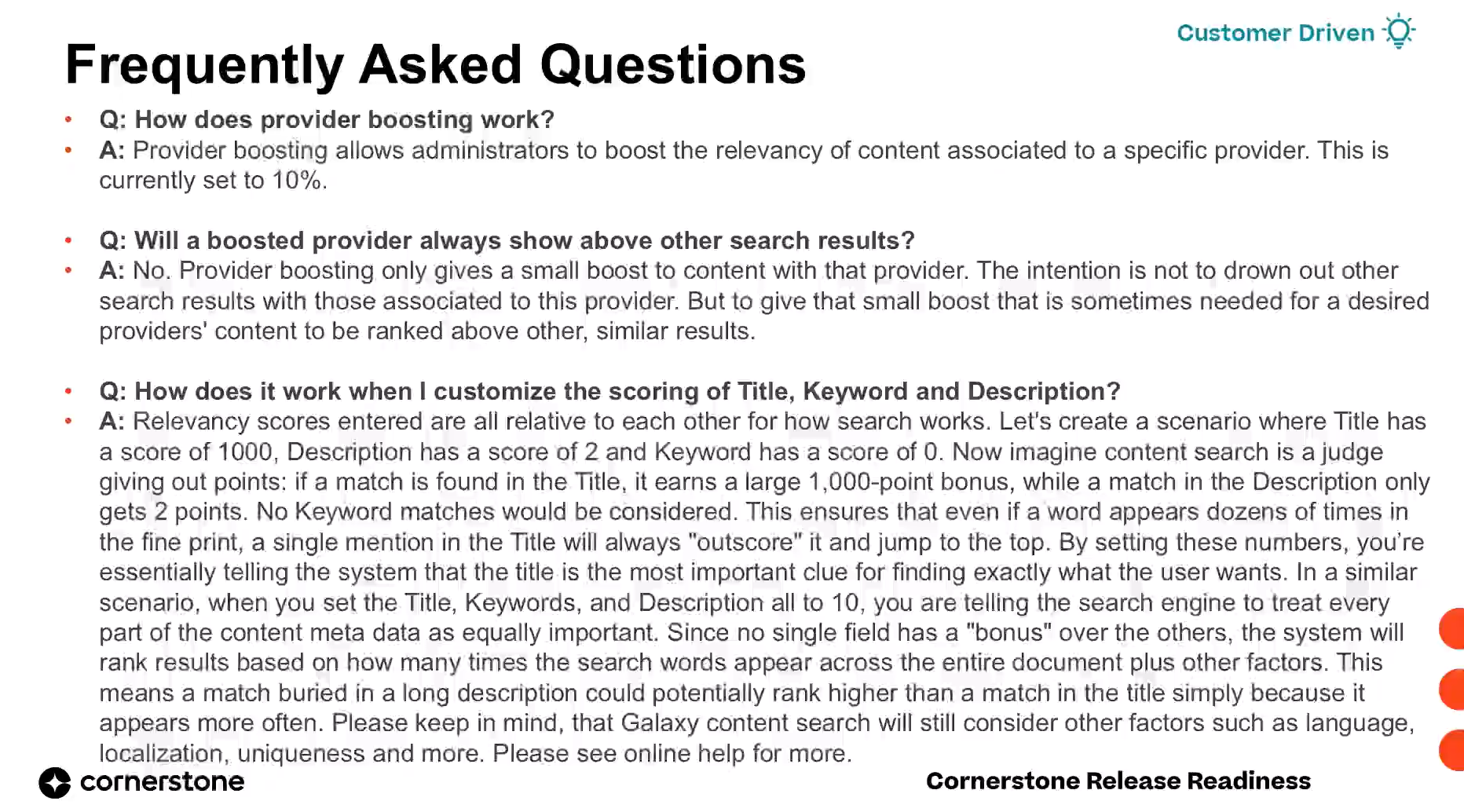
Galaxy Global Search Custom Scoring for Content Relevance
Customers on Galaxy Single Architecture can now customize keyword search scoring for Galaxy Global Search content. Administrators can choose between Learning Management, Galaxy, or Custom relevance scoring, fine-tune weighting across title, description, and keyword fields, and boost preferred providers. This gives organizations direct control over search relevance without restructuring their catalog.

Global Search Enhancements: Customizable Preferences and New Search Bar
This release gives administrators control over the global search experience in single architecture, letting them configure which content types and filters appear, enable Intelligent Search, and set preferences per division. End-users gain a new on-page search bar and expanded people search filters for faster, less cluttered searching.
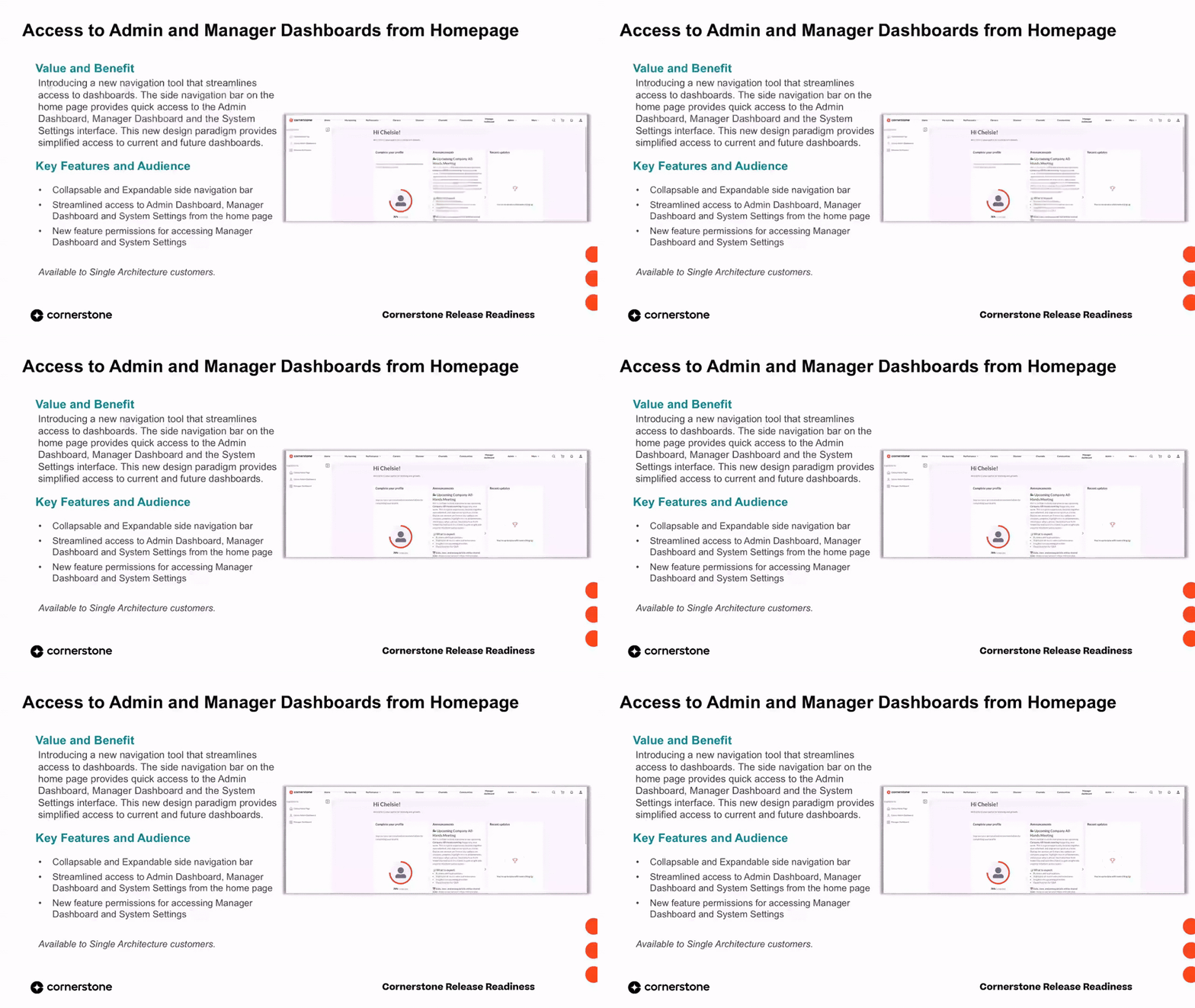
Side Navigation Bar for Admin and Manager Dashboards
A new side navigation bar on the Galaxy home page provides quick, persona-based access to the admin dashboard, manager dashboard, and system settings. It can be expanded or collapsed, respects feature permissions, and reduces the time and cognitive load required to move between key administrative workspaces.
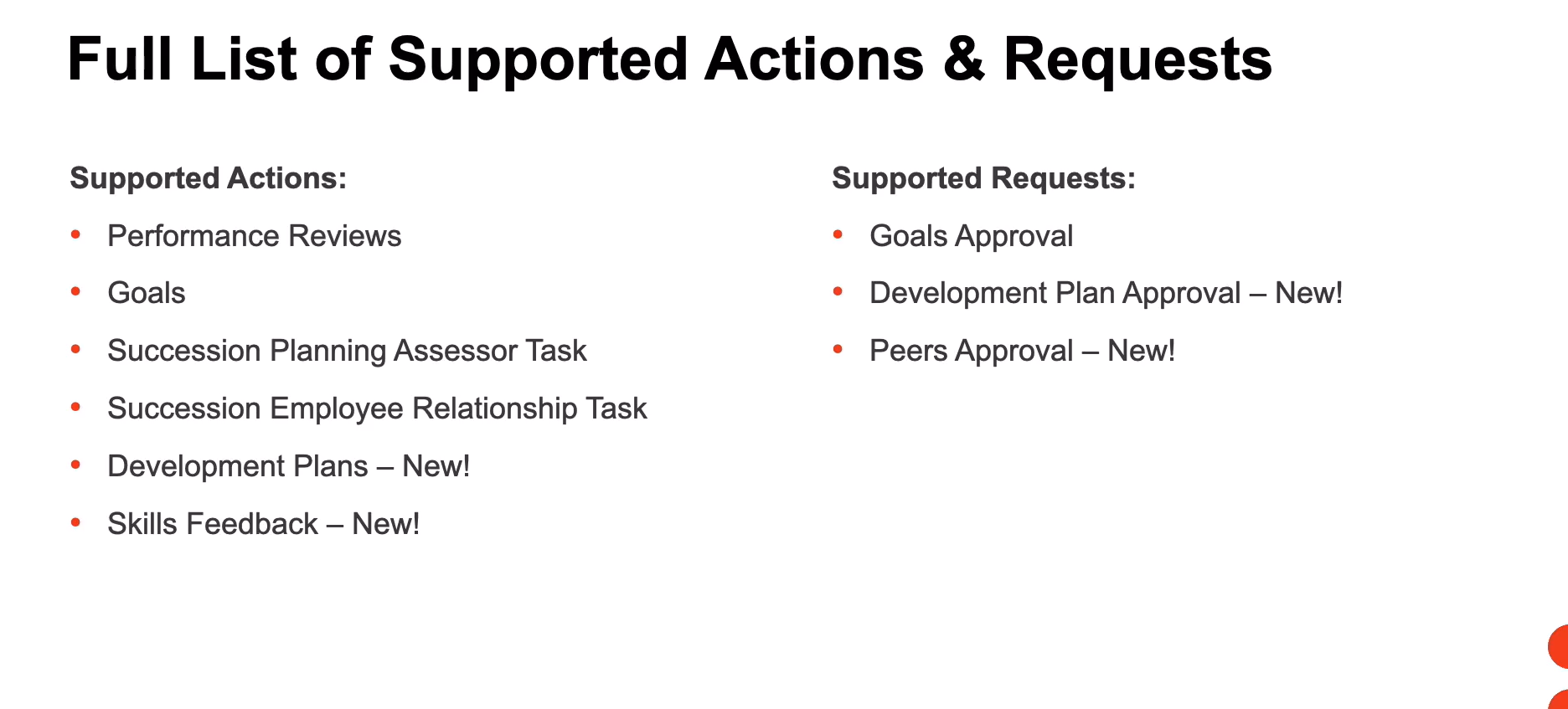
New Action and Request Types on Homepage Widget
The Actions and Requests homepage widget now supports additional action and request types, giving employees and managers quick, centralized access to more pending items directly from their homepage. New supported actions include development plans and skills feedback, while new supported requests include development plan approvals and peer approvals. This reduces navigation overhead and helps surface actionable tasks where users start their day.
 Early Adopter
Admin Dashboard Adds Goals and Performance Review Widgets
The Admin Dashboard now includes two new performance widgets that give admins consolidated visibility into goals and performance review tasks. Admins can track goal creation, compliance, and completion health, and monitor review progress to identify gaps in reviewer assignment and workflow steps. This enables proactive action when goals or review tasks fall off track.
Unified Navigation: Extended Enterprise, Predictive Search & My Account
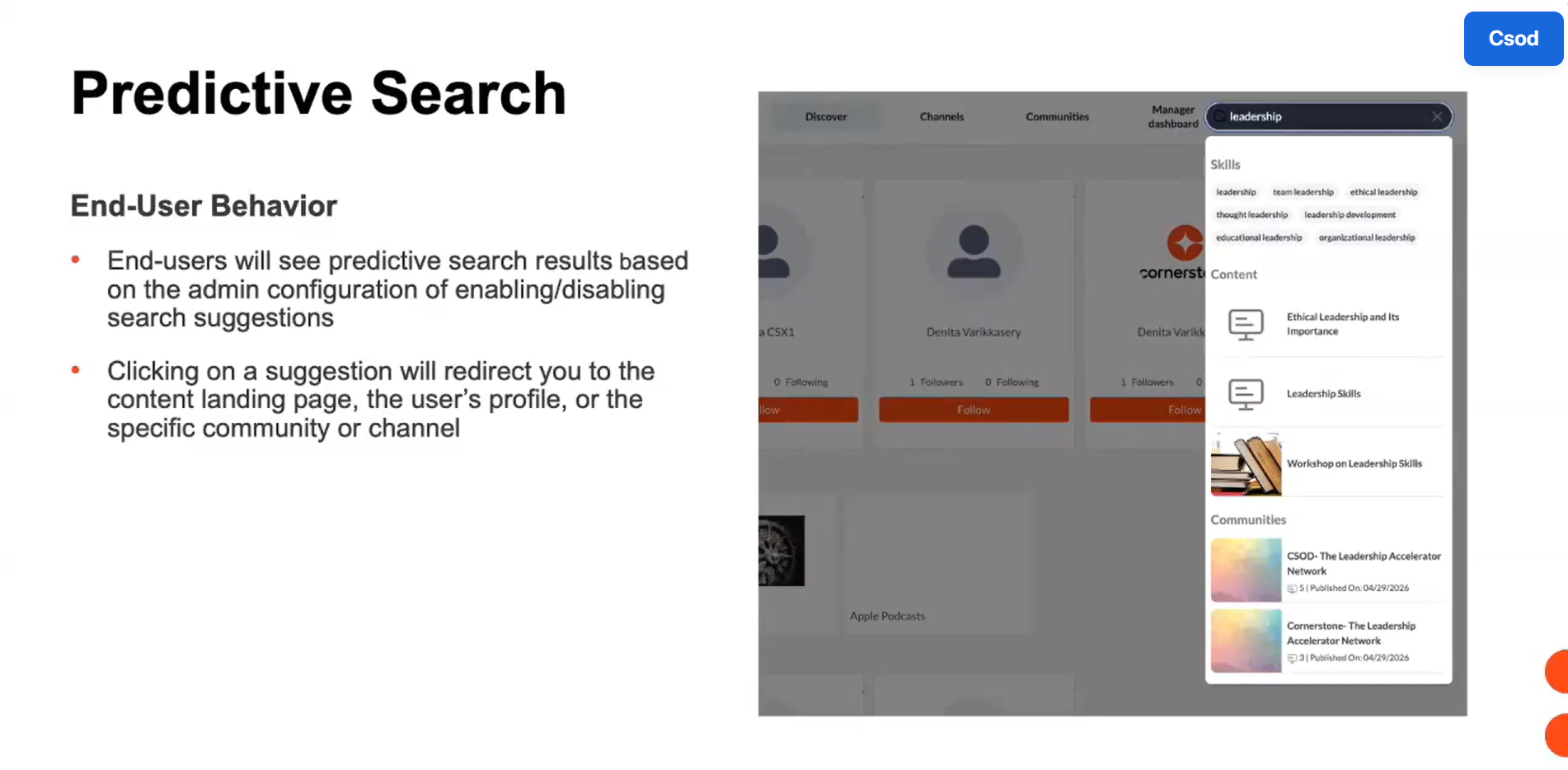
This release expands Unified Navigation to support extended enterprise features, predictive search, and access to the My Account page. Single architecture customers can now maintain access to subscriptions, the shopping cart workflow, fast keyword-based search results, and account management features when Unified Navigation is enabled. These additions preserve feature continuity within the standardized navigation header.
Audience Support for Themes and Branding
This release adds audience selection to Theme and Branding, letting administrators apply specific themes to chosen organizational units (OUs). Audiences can now be configured to view only the branding selected by the administrator, ensuring the correct theme is consistently applied to the right groups across the platform. This capability is available to customers using single architecture.
 Early Adopter
Ad-Hoc and Critical Competency Assessments for Capabilities Framework
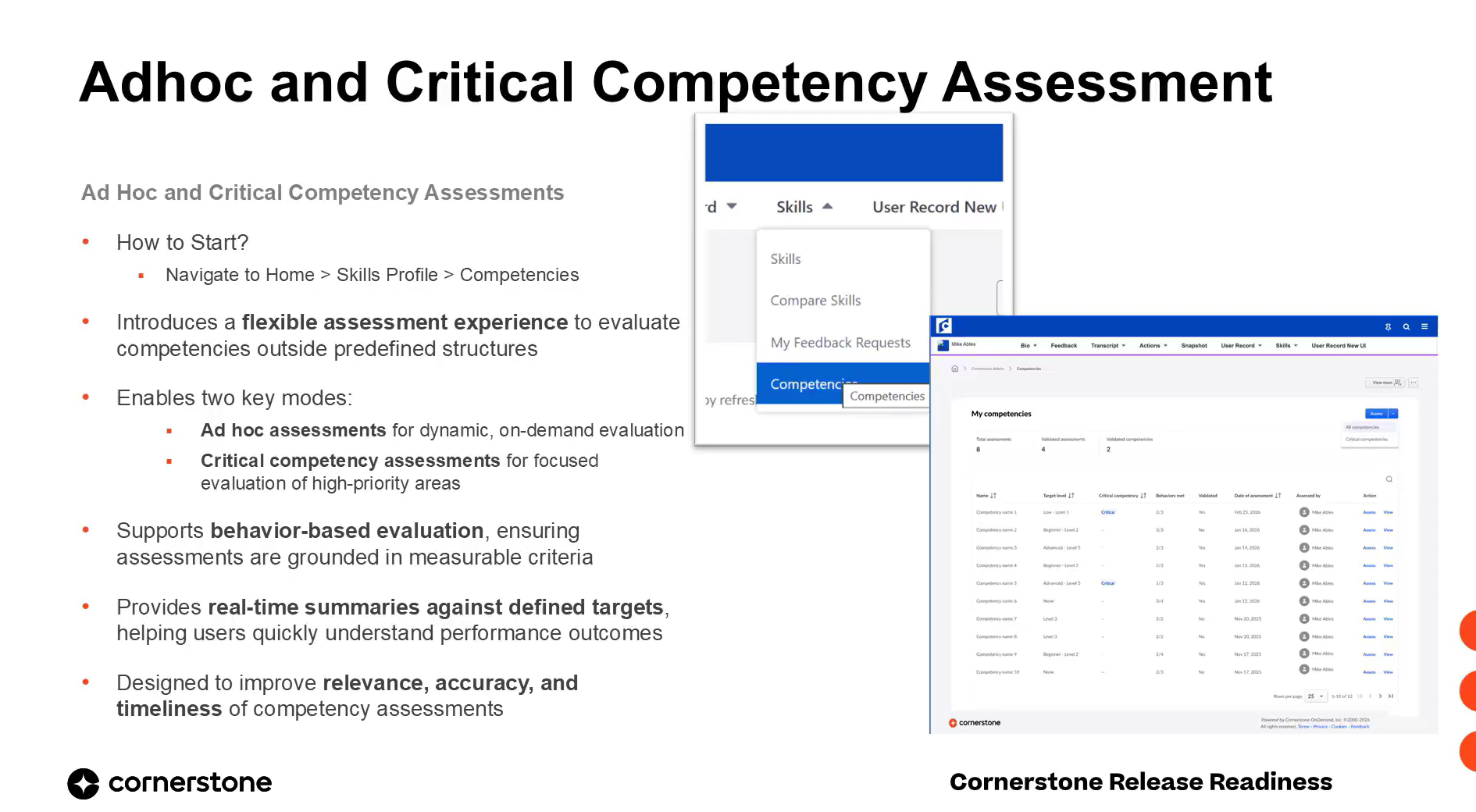
This release introduces a new ad-hoc and critical competency assessment experience for the capabilities framework competency type. Users can dynamically select one or more competencies to evaluate on demand, complete behavior-based ratings with comments, and view real-time summaries against target levels. The experience makes assessments more flexible, targeted, and aligned to actual business needs.
Early Adopter
Unified User Search Enhancements: Structured Fields and Permissions
This release introduces a dedicated Enhanced Search tab with structured fields and AND logic, persistent user status across tabs, and three new permissions that constrain manager, approver, and org-unit visibility. Driven directly by customer feedback, it makes user search faster to navigate, more predictable to refine, and safer to expose across roles.
 General Availability
Unified User Record: Permissions, Import/Export, and Full-Record Changes
This release advances the Unified User Record with three major capabilities: modification history governed by template permissions, import and export of structure and templates across environments, and a full-record effective-date view. Together they reduce administrative effort, improve governance consistency, and give every persona access aligned to what they are permitted to see.
 Early Adopter
Event-Based Group Membership Calculator Framework
The July 2026 release expands the new Group Membership Calculator framework, shifting group membership processing from scheduled daily refreshes to continuous event-based updates. Support now extends to additional dynamic criteria and standard fields, so qualifying groups recalculate automatically whenever a relevant user or group attribute changes. The Feature Activation Preferences page is also updated to show real-time framework enablement status.
Enhanced Groups Experience: Search, Uploads & Certification Support
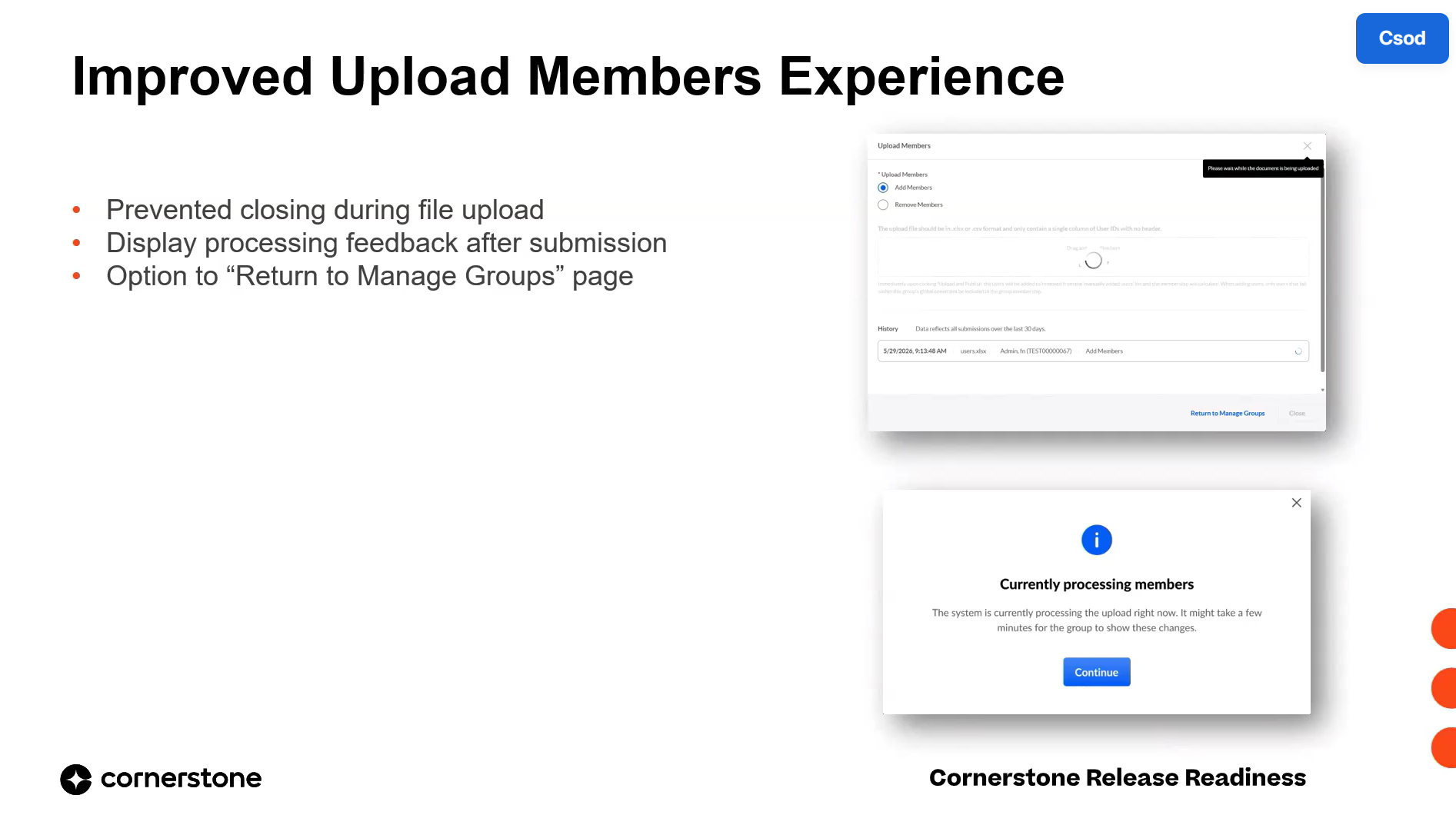
The July 2026 release delivers usability enhancements to the redesigned Groups experience, focused on clearer upload feedback, more precise search, and feature completeness. Administrators gain toast notifications for OU uploads, a protected upload-in-progress state, attribute type filtering, advanced multi-field user search, and full UI support for certification-based criteria.
 General Availability
Intelligent Search: Semantic, Intent-Based Content Discovery for Learners
Intelligent Search uses semantic and vector-based technology to interpret the intent and context behind a learner's query, surfacing relevant content even when exact keywords don't match. It is available in Learning Search, Global Search Training, and Galaxy Global Search Content, and learners can toggle between Intelligent Search and Keyword Search. The feature is governed by administrator preferences and reaches general availability in the July 2021 release.
 Early Adopter
New Admin Panel for Learning Communities
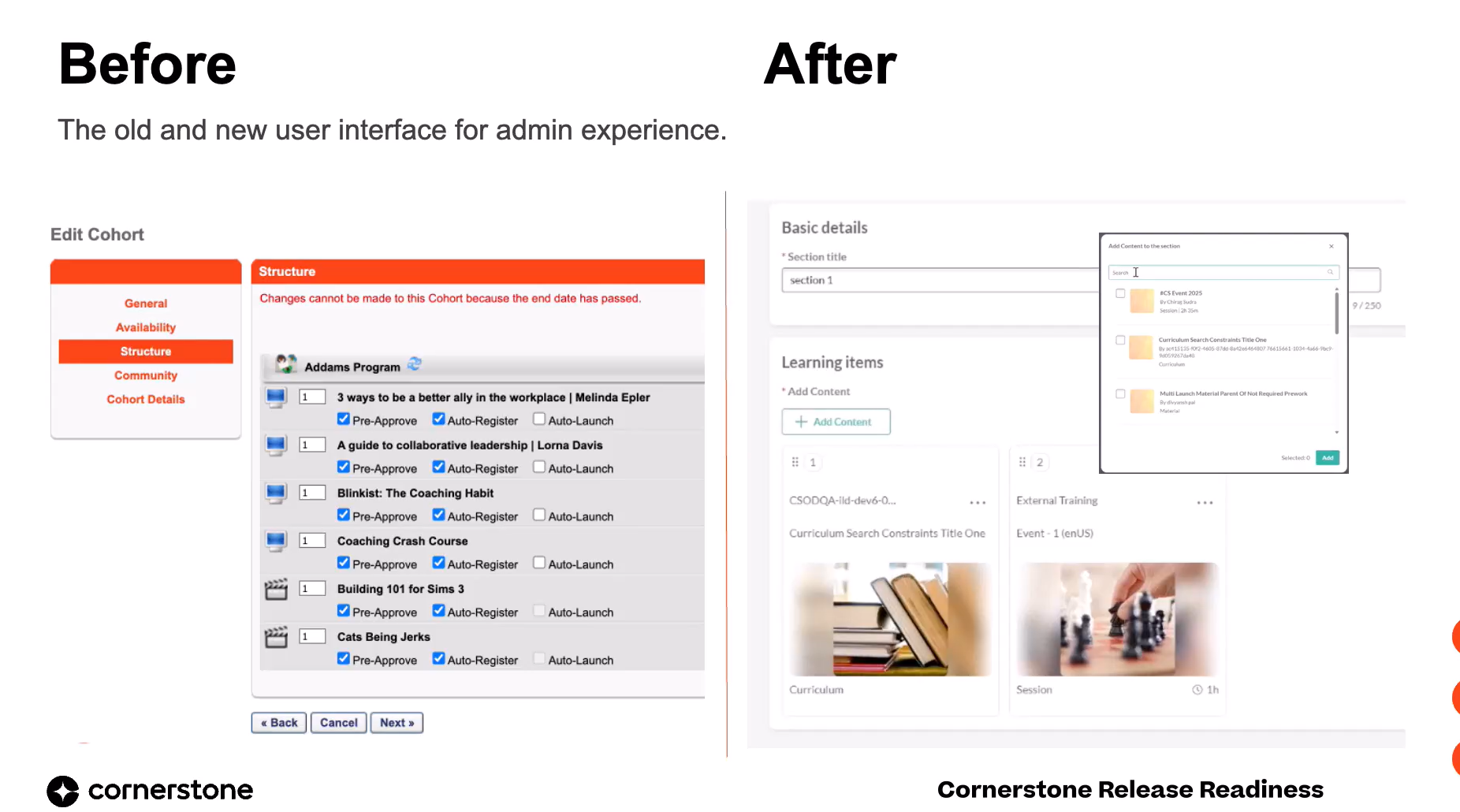
This release introduces a centralized Admin Panel for Learning Communities, giving administrators a single interface to manage all communities, topics, and posts. It streamlines moderation, content management, and reported content handling, improving community health and administrative efficiency. The panel is accessible to users with existing Manage Communities permissions and requires no new setup.
 Closed Beta
New Learning Cohorts in Communities
This July 2026 release introduces Learning Cohorts: private, invitation-only groups nested within topic-based communities for structured, time-bound learning. Cohorts replace the legacy Connect module, delivering guided group journeys with dedicated authors, peer collaboration, and real-time progress tracking. The feature drives higher program completion rates and consistent knowledge acquisition for initiatives like onboarding and certifications.
 Early Adopter
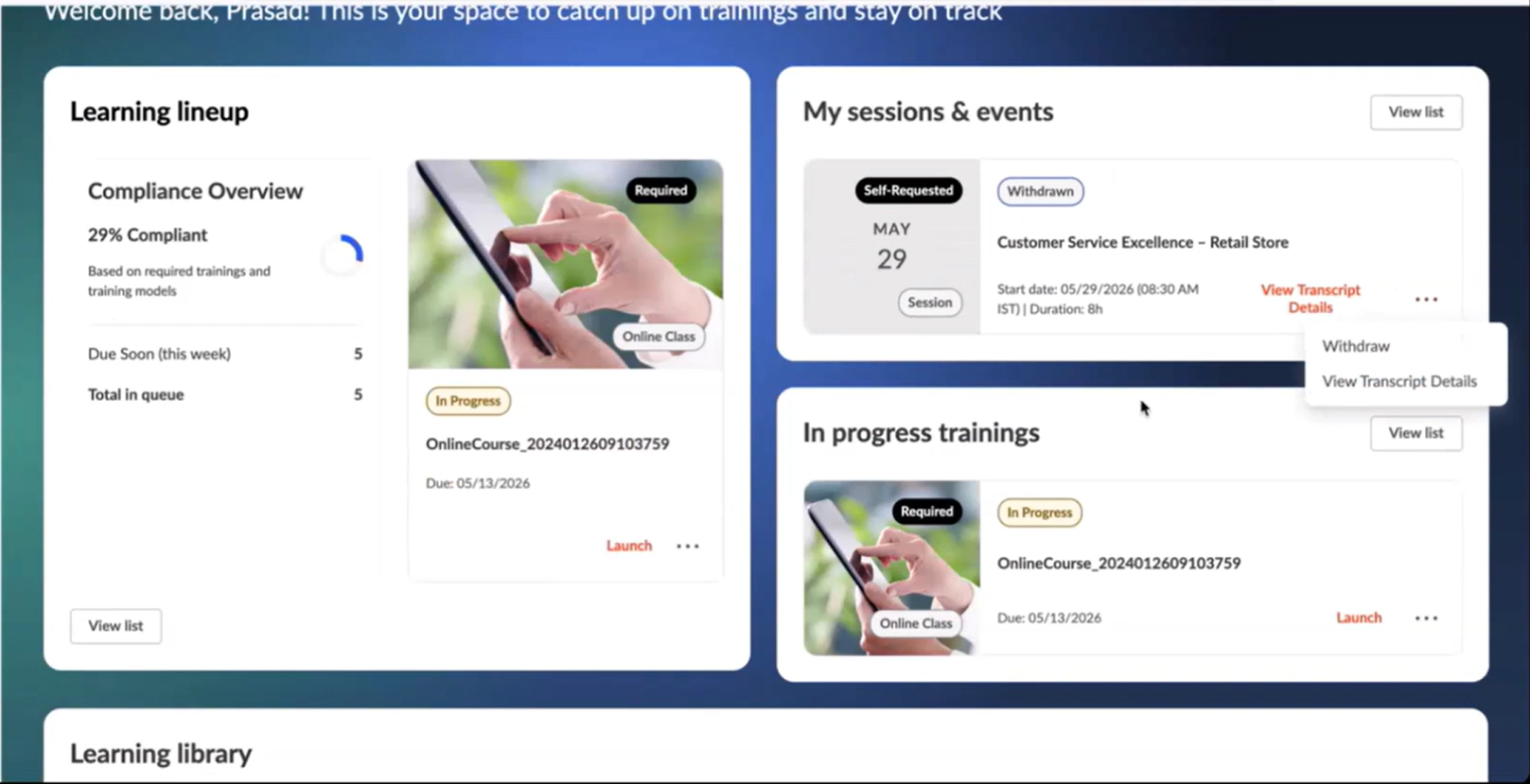
New MyLearning Page: Certificates, OJT, and Session Withdrawal
The MyLearning page for single architecture customers gains transcript-equivalent capabilities in the July 26 release. Learners can now view and download training certificates, run on-the-job training (OJT) observer workflows, and withdraw from sessions directly from the page. Performance optimizations keep learner progress accurate and intact in a single real-time view.
Organization Dashboard: Visibility for Indirect and Organization Managers
This release extends the Manager Dashboard into an Organization Dashboard, giving organization managers and indirect managers centralized, configurable visibility into team learning, assignments, and activity data. Managers can switch between multiple reporting relationships within a single experience, while administrators configure all dashboard settings from one unified preferences page. The enhancement is available for single architecture customers and enabled by default.
 Early Adopter
Universal Learning Details Page: Unified Training Experience
This release introduces the Universal Learning Details page, an early adopter feature that delivers a single, modern, and consistent training details experience across supported LMS and LX learning objects. It replaces fragmented, type-specific detail pages with one unified layout featuring a consistent header, tabbed navigation, and standardized actions. The result is reduced learner confusion, fewer clicks from discovery to consumption, and a future-ready foundation.
 General Availability
Training Title List Tag for Training Model Notifications
Training model assignment email notifications can now include a new training.title.list tag that displays the full, distinct list of trainings assigned by a training model. Previously these notifications lacked training details, leaving users and managers without visibility into what was actually assigned. The tag must be manually added to the existing notification by an administrator.
General Availability
Separate Activate/Deactivate Controls for Training Models
Activating or deactivating a training model is now a standalone action in the actions menu, removed from the edit-and-publish workflow. This prevents accidental deactivations that previously caused unintended proxy deactivations and missed assignments. Status changes now require explicit confirmation and are fully tracked in modification history.
 General Availability
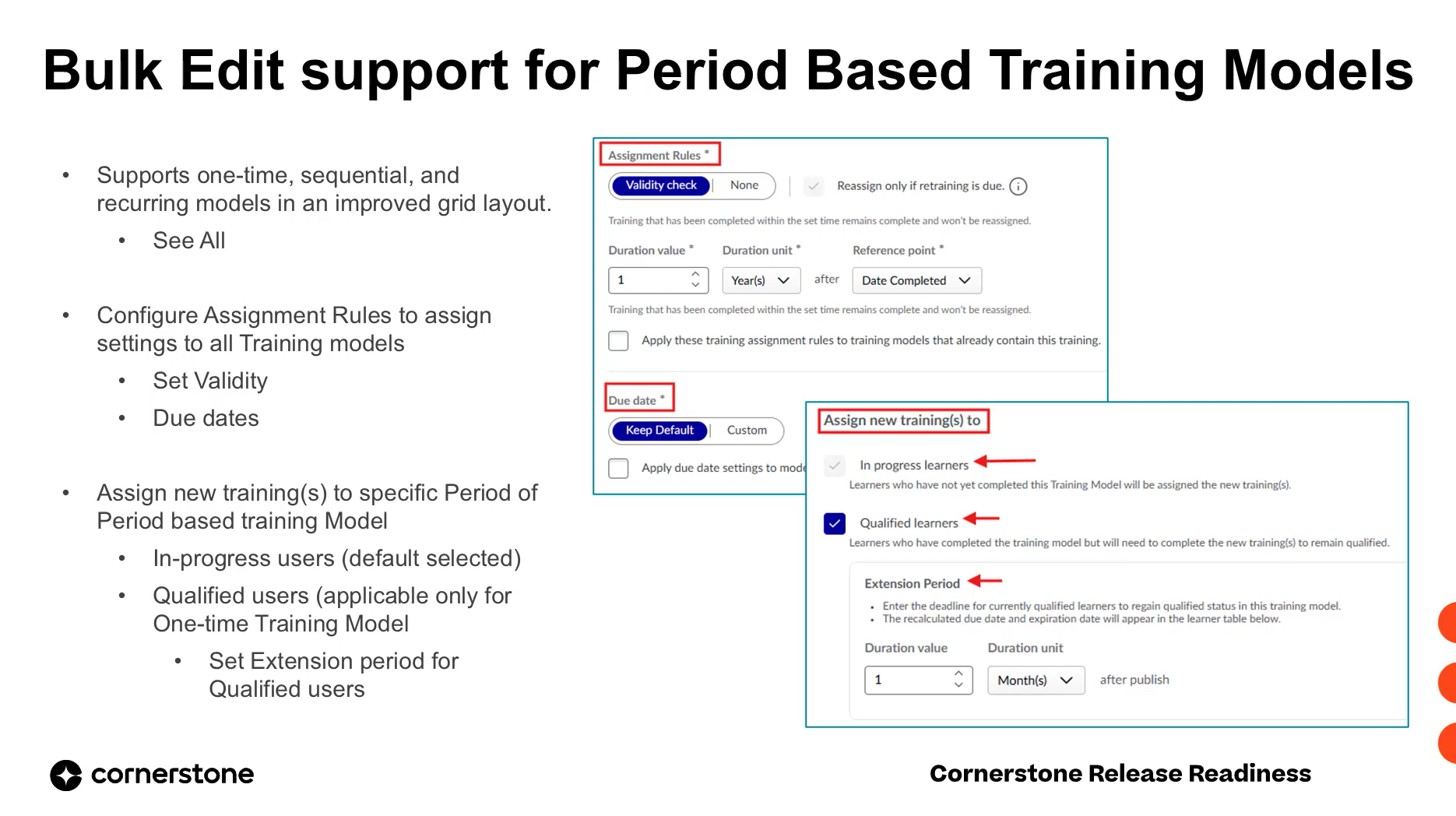
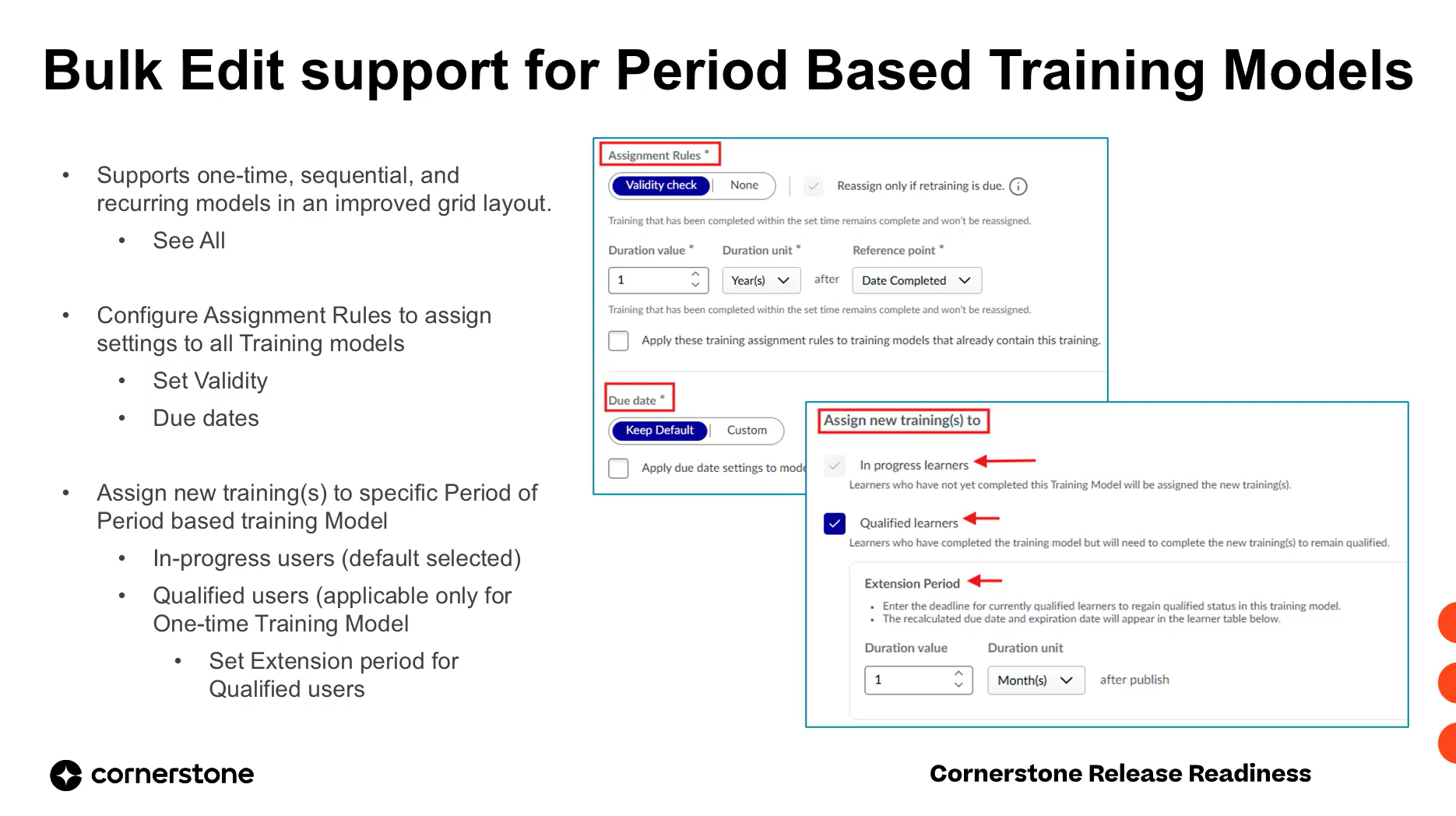
Bulk Edit Support for Period-Based Training Models
Bulk edit operations in the Training Model Manager now support period-based training models (one-time and sequential) in addition to recurring models. Administrators can add, remove, or replace trainings across multiple training models of any cycle type in a single workflow, with cycle-specific assignment rules and full audit tracking.
 Early Adopter
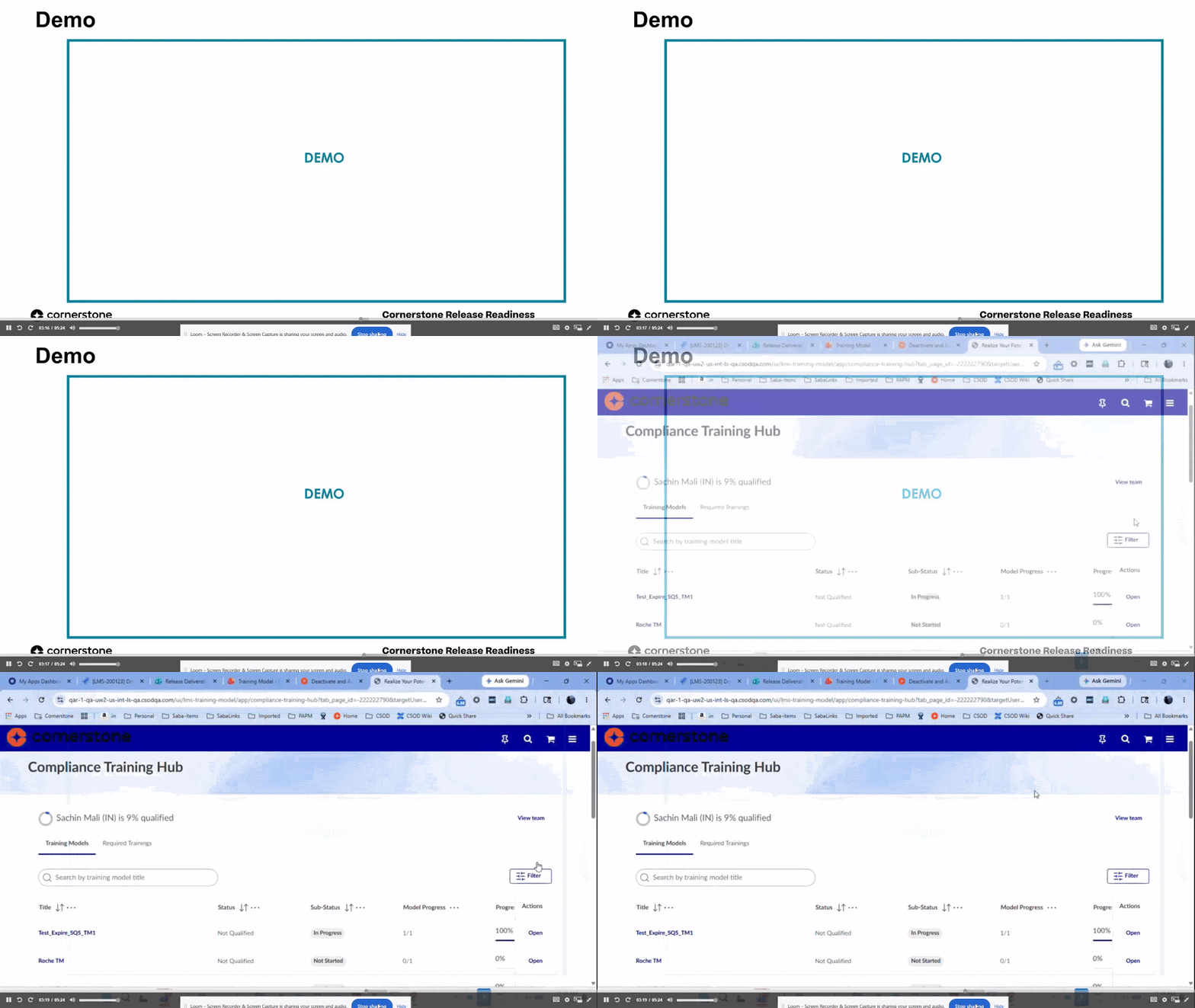
Compliance Training Hub: Direct Manager Navigation to Team Members
Managers and admins can now navigate directly from the View Team action to any team member's Compliance Training Hub page in a single click. The team list is sorted by training model progress to surface at-risk users first, and includes search to quickly locate specific employees.
 Early Adopter
Force Add Training to Period-Based Training Models
Administrators can now add new trainings to already-published period-based training models, pushing them to both in-progress and qualified users without forcing requalification. For one-time models, qualified users receive a configurable extension period to complete the new training while retaining their qualified status.
 General Availability
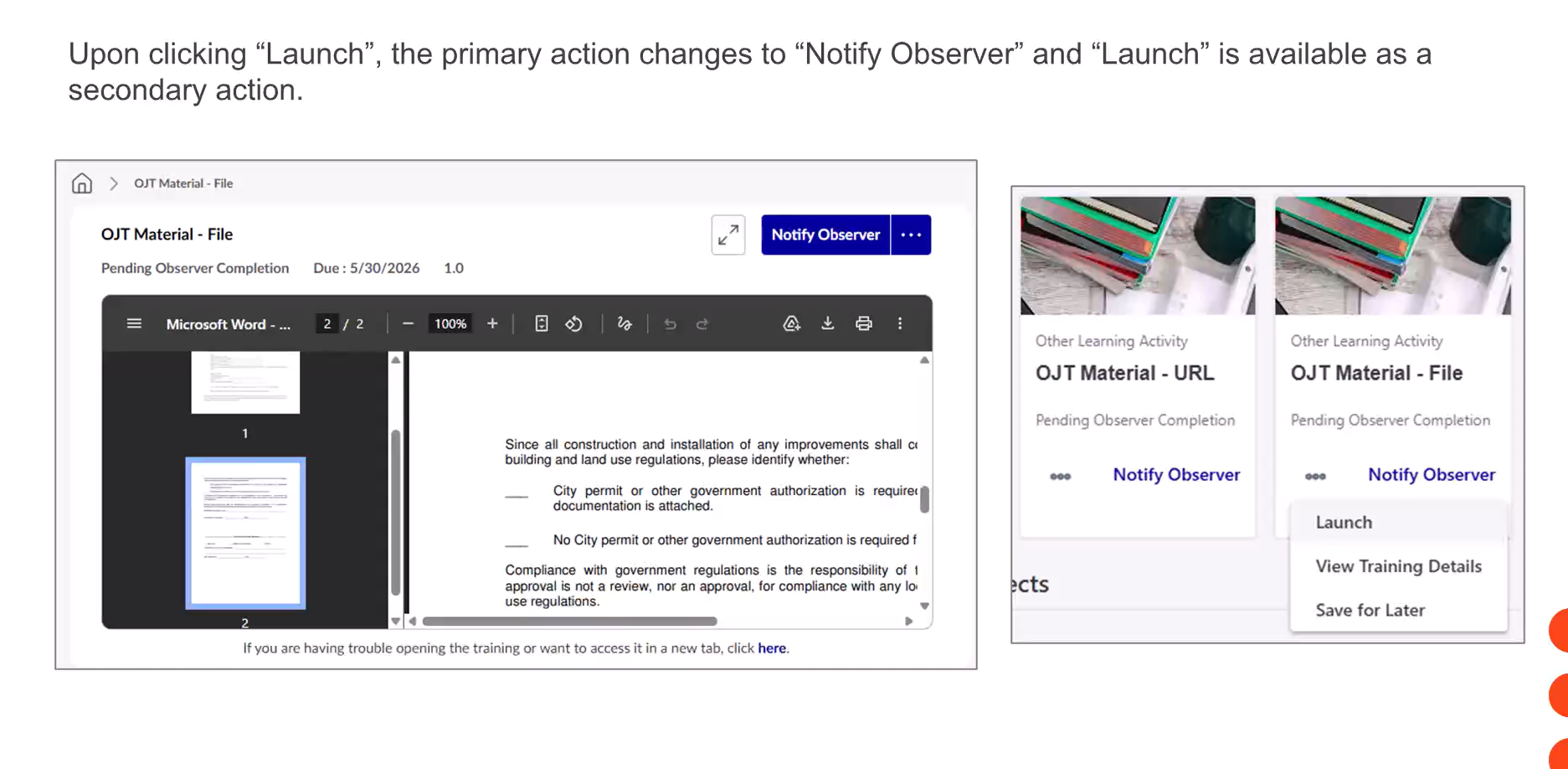
OJT Material Default Action Update: Launch Prioritized
This release changes the default primary action for On-the-Job Training (OJT) materials that include a file or URL source. Launch now appears as the primary action, ensuring learners review the material before notifying observers, and a Started By entry is captured in transcript history and Reporting 2.0.
 General Availability
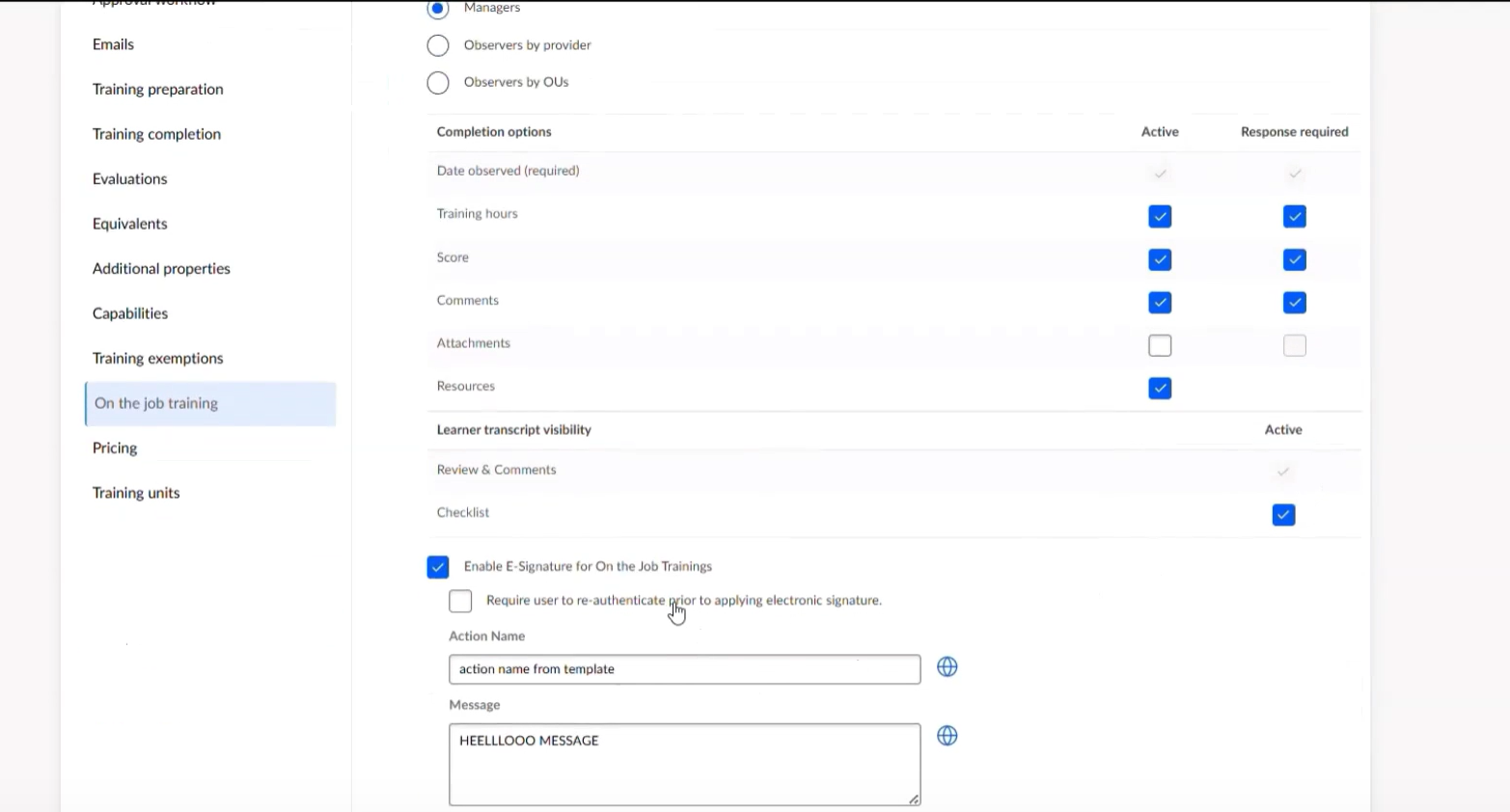
Enhanced On-the-Job Training: Centralized OJT Management and Visibility
This release modernizes the on-the-job training experience by centralizing OJT material creation, checklist management, and observation tracking within Content Manager. Admins gain default templates and streamlined workflows, observers get improved search and cleaner review queues, and learners receive transparent access to completed checklists with e-signature acknowledgement.
 General Availability
Curriculum Player 2.0 and One Player Enhancements
This release delivers a comprehensive set of fixes and parity improvements for Curriculum Player 2.0 and One Player, eliminating dead ends, broken navigation flows, missing completion confirmations, and incorrect LO statuses. Administrators gain a new preference to control exit-course behavior, while learners get consistent completion pages, accurate progress tracking, and reliable certificate generation.
 Closed Beta
CSOD Release Slide – LTI Manual Content Upload
Learning administrators can now manually upload LTI content from any self-service LTI provider, eliminating the need for a customized connector and expanding access to external learning content.
 Closed Beta
Self-Service LTI Provider Creation
This enhancement allows learning administrators to independently create and manage integrations with any LTI-compliant provider directly within Cornerstone. Previously restricted to CSOD LTI partners, this feature simplifies the connection process, enabling manual content uploads and expanding access to a wider range of external learning tools for end-users.
 Early Adopter
Enhanced Content Manager: Owners, Structure, Pricing & Advanced Settings
This release significantly enhances the Content Manager, empowering administrators with expanded capabilities for managing curriculum ownership, structure, and advanced configurations. It centralizes content governance and e-commerce activities, improving operational efficiency and control across the content lifecycle. Administrators can now define multiple owners, track structure modifications, configure nested curricula, and manage pricing and additional properties directly within the Content Manager.