
Loading…
Search every release note by keyword, narrow by category, module, or release stage.
 Open Beta
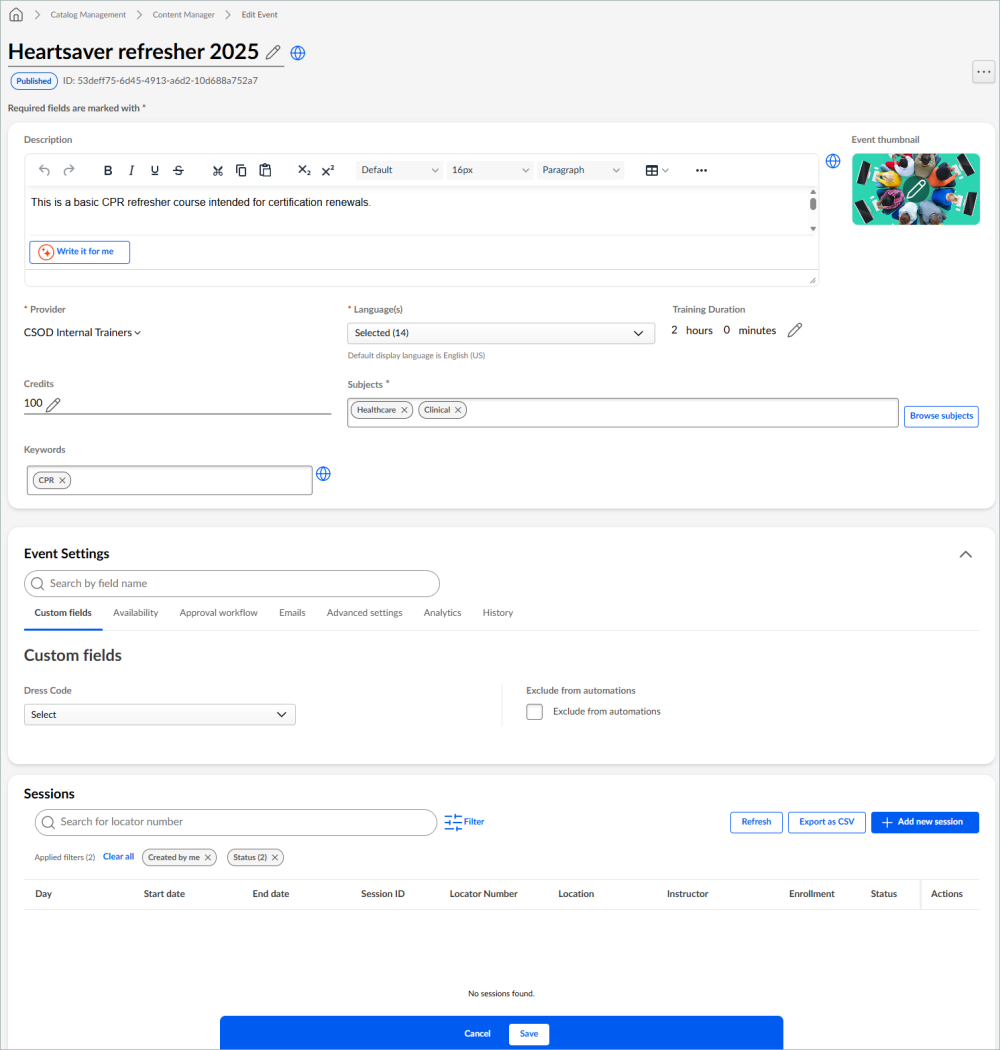
Content Manager now lets administrators view, create, and edit Events and manage their associated Sessions directly within the module. New tabs, resource management, provider controls, and audit traceability streamline end-to-end event administration. This functionality is in Open Beta, available in Stage environments only.
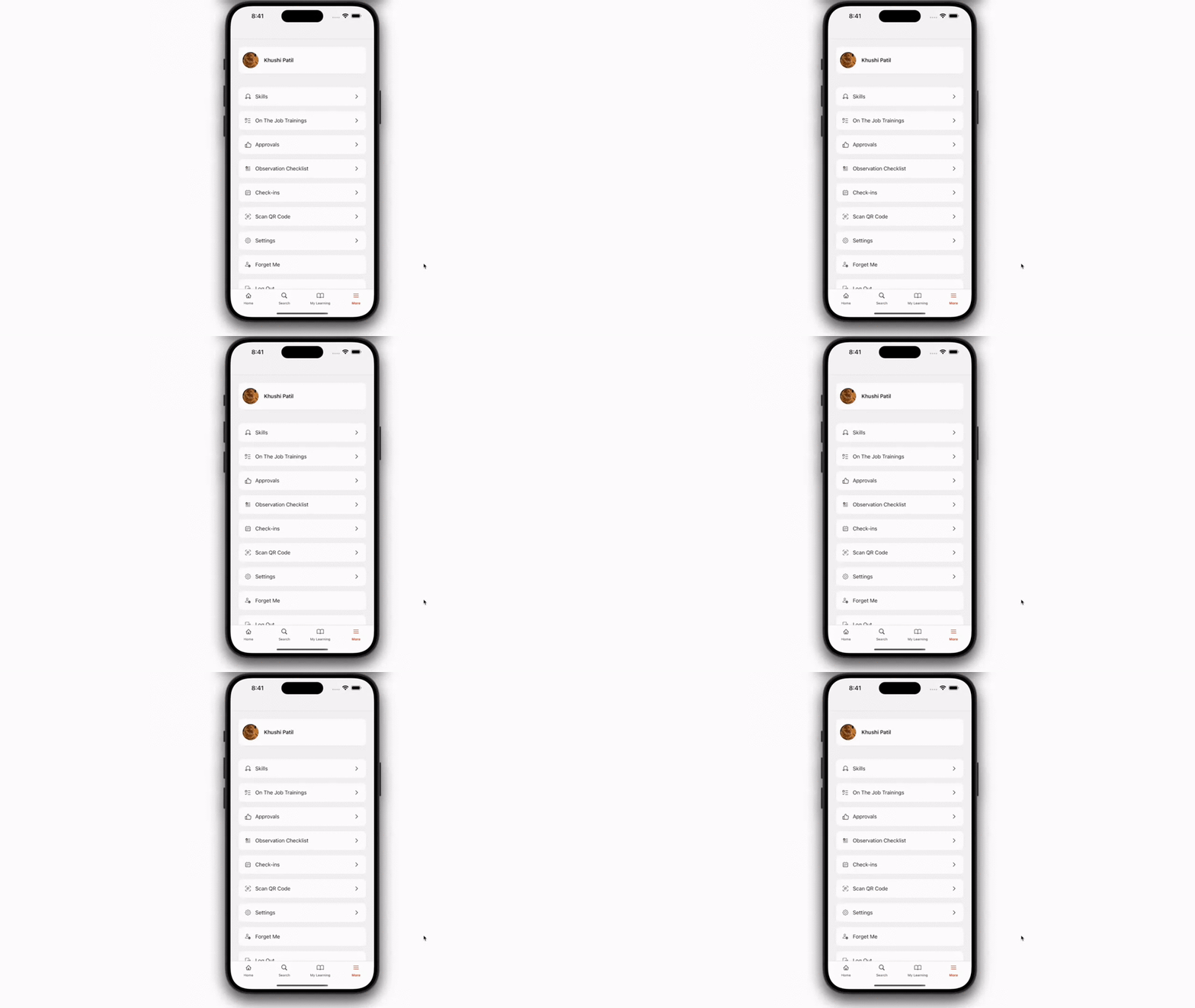
This release brings the full on-the-job training (OJT) workflow to the mobile app, letting observers conduct checklist-based evaluations, sign off with e-signatures, and review attempt history directly at the point of work. Observers can evaluate multiple learners in a single batch session, while learners gain self-service visibility into their observation status and can notify observers with a single tap. The experience replaces desktop-dependent workflows and strengthens compliance readiness for field-based, hands-on training.
Training models are now a dedicated learning type within the mobile app's learning lineup, giving learners a cleaner, guided way to manage qualification-based learning. Learners can track qualification progress, view due dates and statuses, follow structured sequences, and open detailed pages for each training model. This brings compliance and certification workflows previously bound to desktop directly into the mobile experience.
The Cornerstone mobile app now integrates directly with Microsoft Intune, letting IT teams apply existing organizational security policies to the app. Employees can sign in with their Microsoft credentials, eliminating separate passwords, while organizations gain enterprise-grade controls including data protection, copy/paste restrictions, and selective remote wipe of corporate learning data. The feature launches in open beta with the July 2026 release.
 Closed Beta
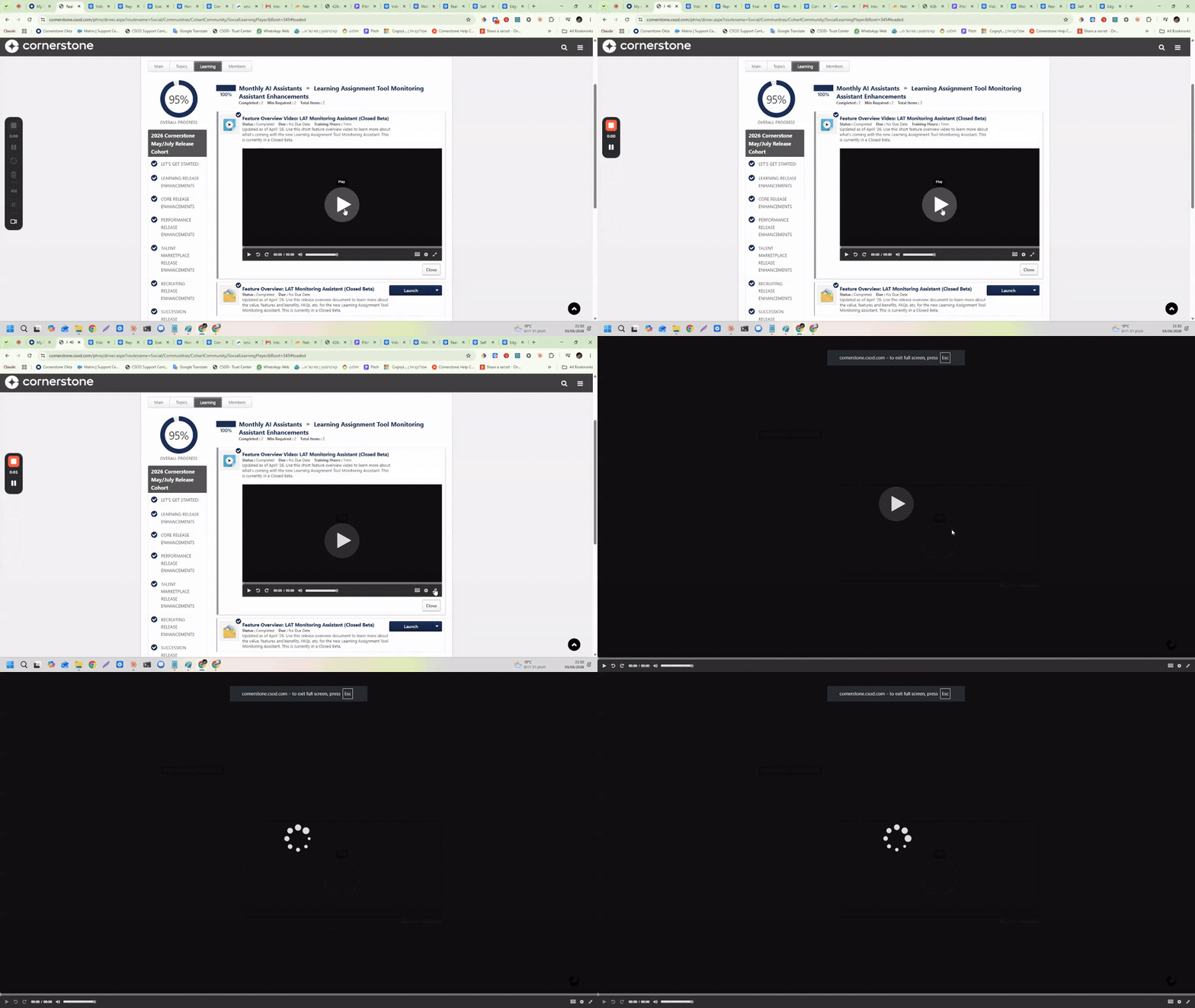
This release introduces real-time monitoring for the Learning Assignment Tool, giving administrators live visibility into assignment status, progress, and processing metrics. Admins can quickly identify stalled or failed assignments, reprocess them through self-service, and download failure reports. This reduces manual troubleshooting and enables faster issue resolution.
 Closed Beta
The Reporting Assistant now generates a list of automated follow-up questions after producing a report summary, helping users decide what to explore next based on the data in their report. A thumbs up/thumbs down feedback mechanism has also been added at multiple interaction points to help Cornerstone continuously improve the application.

Administrators can now create and manage competency models at scale using Edge Import bulk uploads and APIs, replacing manual, project-based processes. A two-step template workflow with built-in validation ensures data accuracy, faster rollouts, and stronger governance.
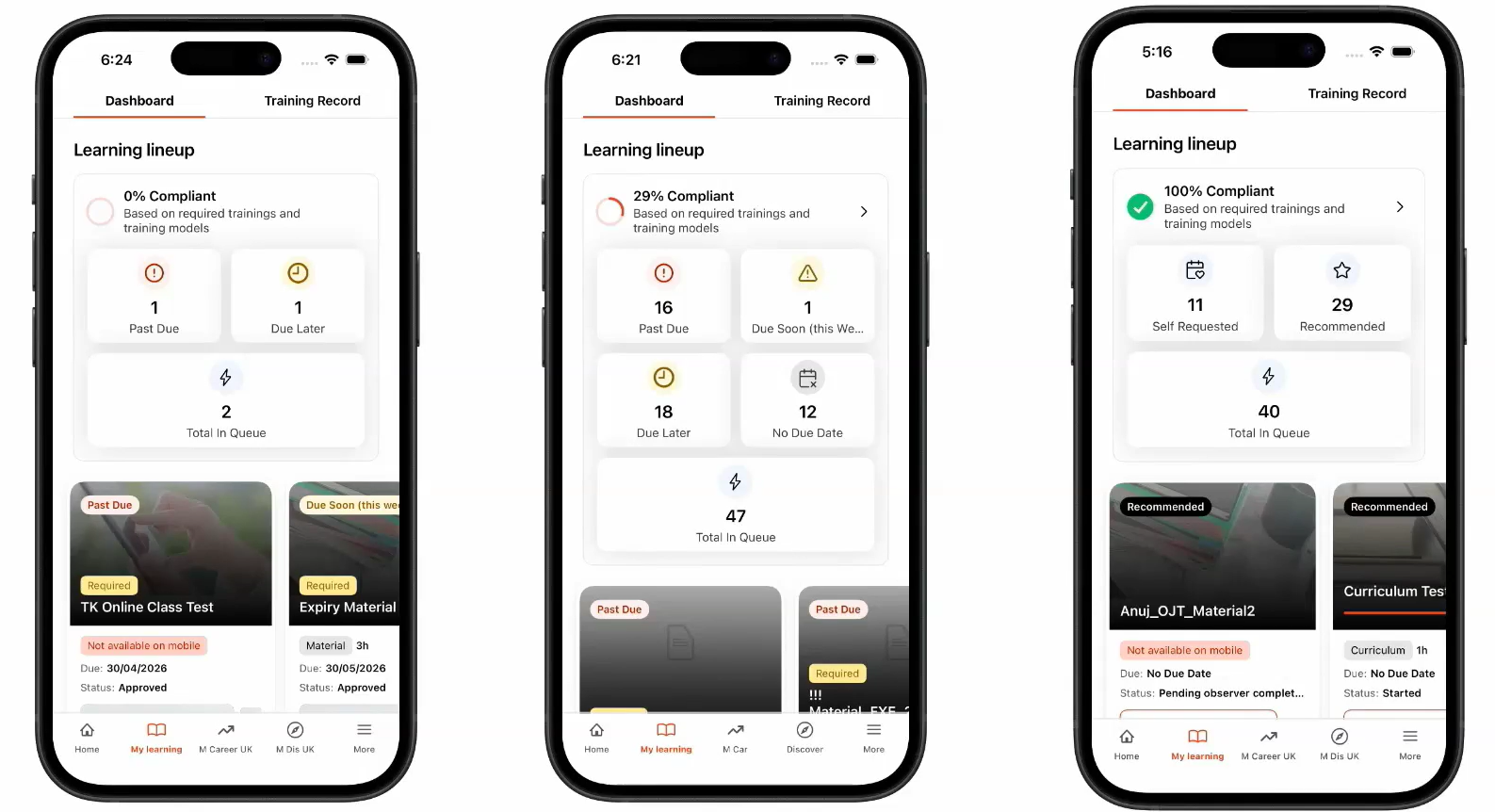
This release modernizes the mobile learning experience by consolidating discovery, prioritization, completion, and review into a single guided workflow. It introduces a new compliance-focused dashboard, dedicated tabs for different learning states, and prioritization of time-sensitive training. The result is a cleaner, faster, mobile-first experience that helps frontline and desk-less workers stay on track.
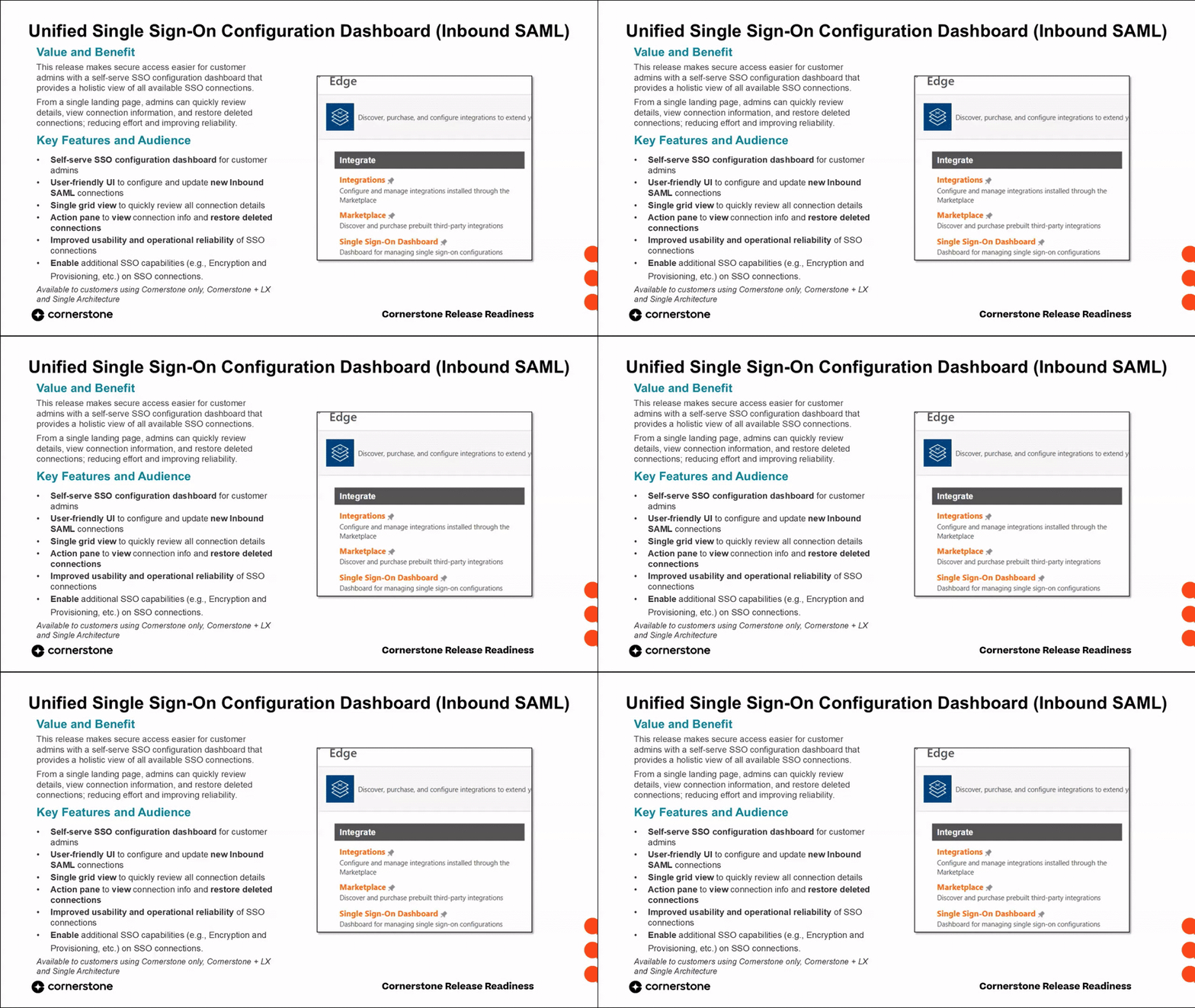
This release introduces a fully self-service dashboard that lets customer administrators create, configure, and manage inbound SAML SSO connections end-to-end without depending on support teams or external partners. From a single landing page, admins can view all active and deleted connections, restore connections, manage certificates and metadata, and enable advanced features. Supported features include user provisioning, encryption, e-signature, and Learning Reporter.
 Closed Beta
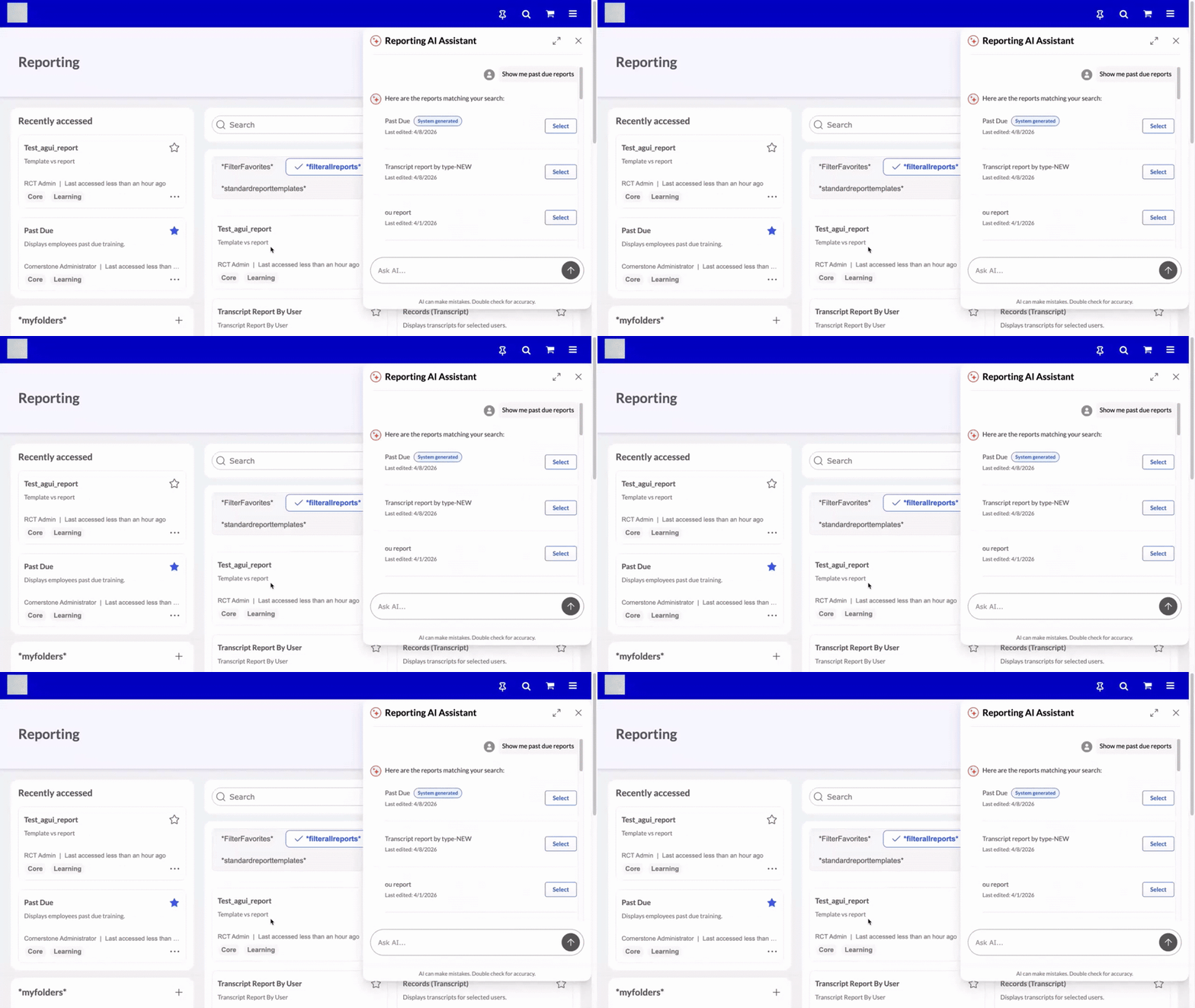
The Reporting Assistant introduces an AI-powered conversational interface on the reporting page, letting users find, run, and explore existing reports through natural language queries. It removes navigation friction by suggesting relevant reports, confirming intent, and surfacing key data insights. This Closed Beta is available to customers using AI Assistant and is limited to transcript and compliance reporting.
 Closed Beta
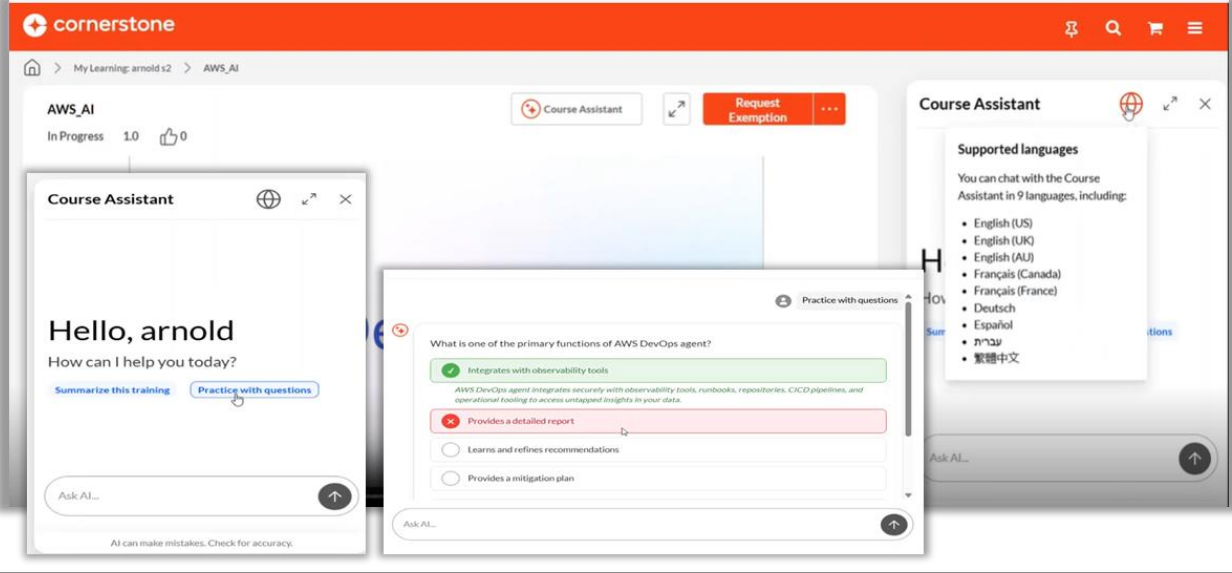
Course Assistant (Closed Beta) now supports six languages — English, French, German, Spanish, Traditional Chinese, and Hebrew — letting learners ask questions in their preferred language even when content is in a different one. A new Practice with Questions feature delivers an informal in-chat quiz with immediate feedback and explanations.
 Closed Beta
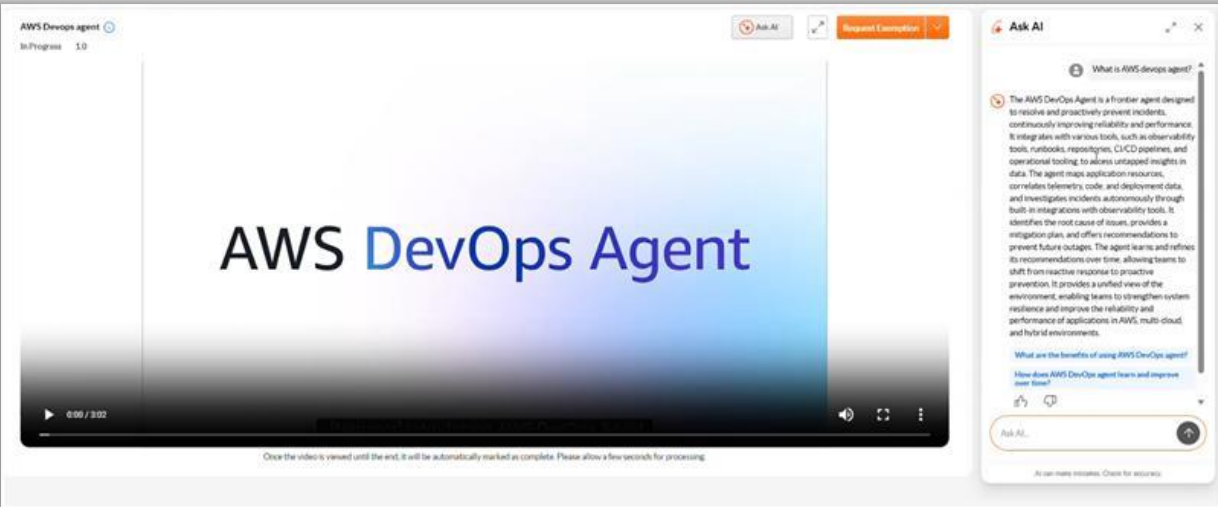
Course Assistant, now in closed beta, lets learners get instant content summaries, ask questions about their current lesson, and explore guided follow-ups directly within the course. Administrators enable it per-content via a toggle in Content Manager and activate it globally through Core Preferences. Presented at SKO under the name Conversational Learning.
 Closed Beta
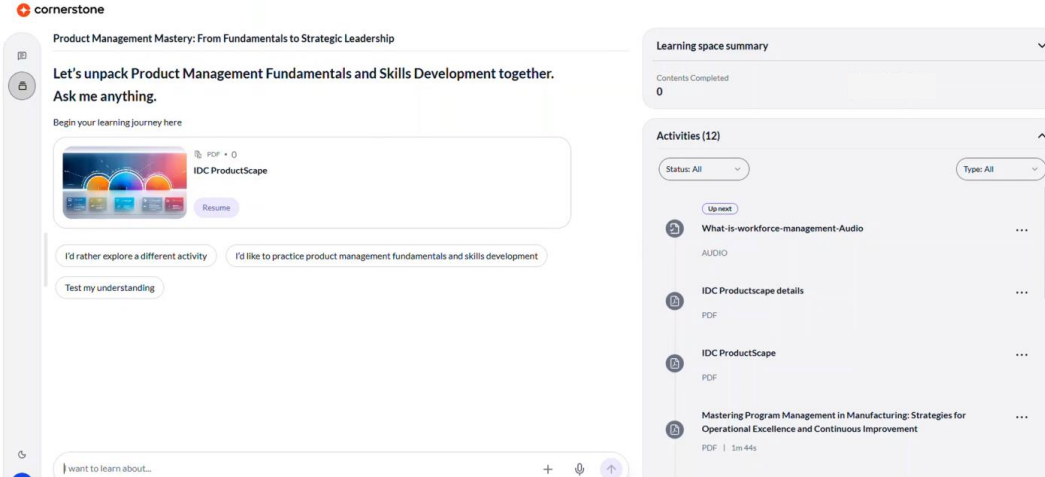
This closed beta introduces the Adaptive Learning Agent, an AI-driven experience on the My Learning page that delivers personalized, skills-based content and adaptive quizzing. Learners interact with a conversational agent to surface relevant trainings, create learning spaces, and self-direct their upskilling. The agent adapts as each employee progresses, complementing existing training with continuous, contextual development.
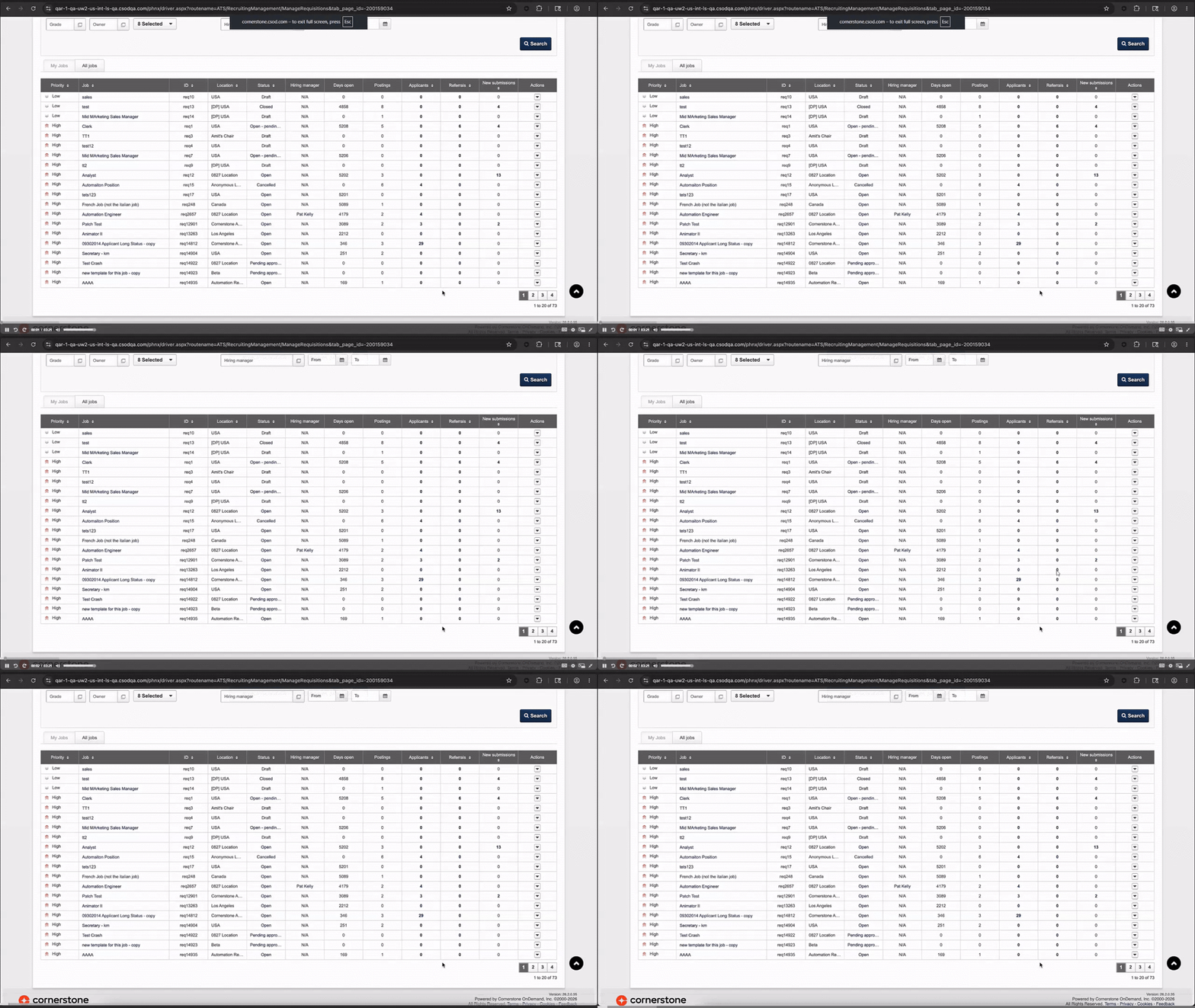
Recruiters can now assign a specific local time zone to job postings on mobile-friendly career sites, so activation and expiration follow the selected region's local business time. The system automatically converts the chosen time zone to UTC behind the scenes, and candidates see application deadlines in their own local time zone.
External career site applicants now verify their identity with a secure 6-digit code sent to their registered email during both registration and login. This replaces the previous email link-based verification, removing dependency on mobile devices or third-party authentication apps. The flow includes real-time validation, clear messaging, and timing controls for a more reliable experience.

Succession planning is now integrated with new Job Management for single architecture customers, enabling job-based succession planning. Successors can be viewed and added directly against active jobs from the Manage Successors page, evaluated against standardized job requirements. This drives more consistent manager decisions and earlier visibility into talent gaps for HR.
The July 2026 release brings Talent Marketplace Projects and Mentorships to single architecture, aligning them with centralized Cornerstone settings, entities, and permissions. Administrators gain GenAI-assisted descriptions, Cornerstone-aligned fields, bulk mentor onboarding, and notification management, while end users and managers get a more consistent experience around skills and engagement visibility.
Talent Marketplace jobs are now generally available within single architecture, powered by a direct integration with Cornerstone Job Management that replaces legacy HR data job roles. This release simplifies administration, enhances next-job detection, modernizes the skills experience, and introduces a new API for retrieving aspirational jobs. Employees gain clearer visibility into career trajectories and can build development plans directly from aspirational jobs.
Job vacancies in the Talent Marketplace are now generally available on single architecture, delivering a unified, configurable talent experience that drives internal mobility. Administrators gain centralized vacancy configuration and a full set of job vacancy APIs, while end-users receive personalized, skills-based recommendations with transparent match scoring.
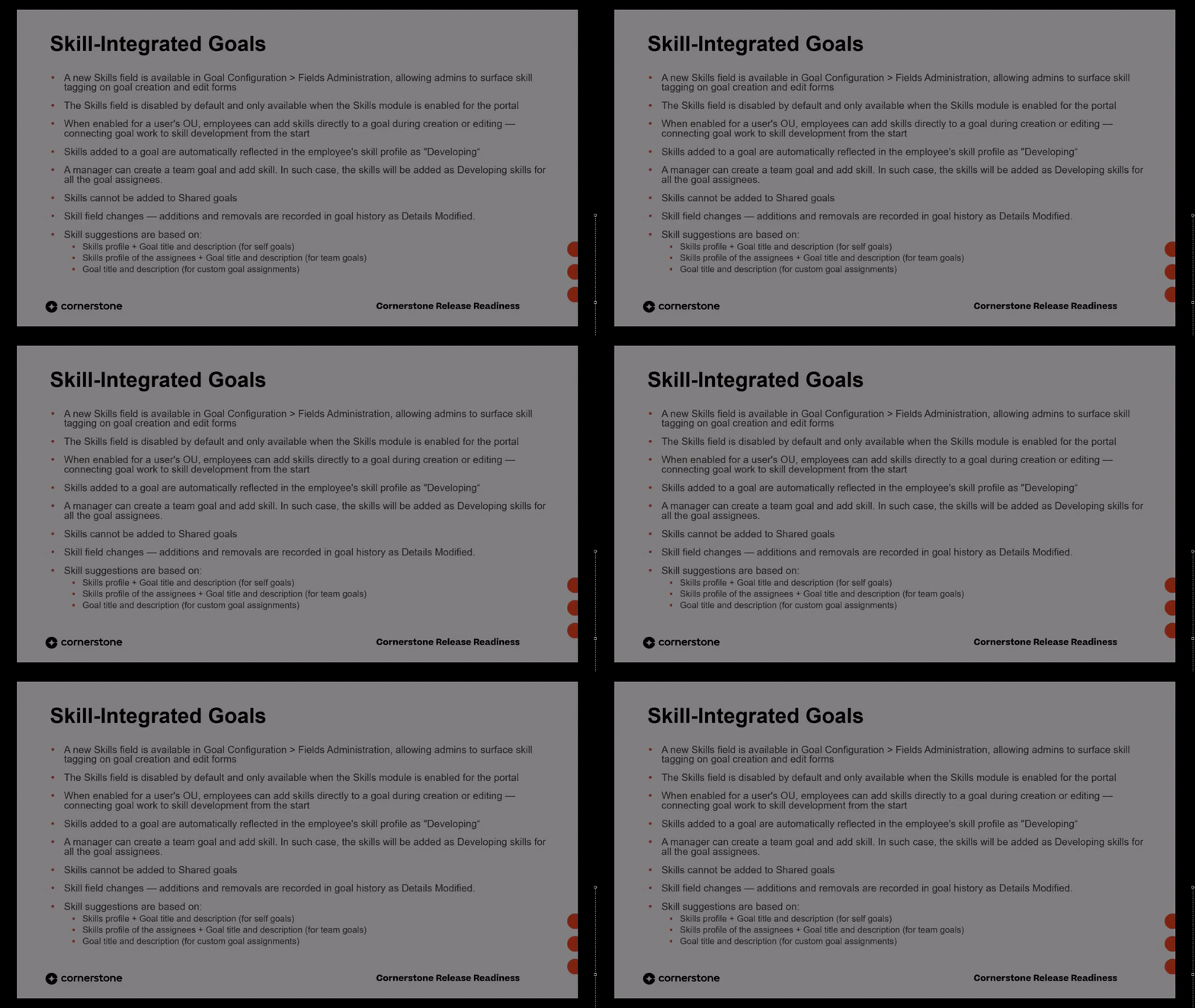
This release introduces Skill Integration, which connects employee goals with skill development by adding skills as a configurable field on goals. Administrators can enable the field in Goal Configuration, and users or managers can tag skills during goal creation or editing. Skills tagged on goals automatically flow into the employee's skill profile, improving visibility into capability building across performance and learning.
 Early Adopter
This early adopter release introduces a unified Career Preferences experience for Single Architecture customers, consolidating previously fragmented questions from Cornerstone and Learning Experience into one standardized set. Employees can set and update preferences during onboarding, from the home widget, and on their profile, while admins gain centralized configuration controls. The data powers improved job and vacancy matching in Talent Marketplace, with succession and talent sourcing use cases planned for future releases.
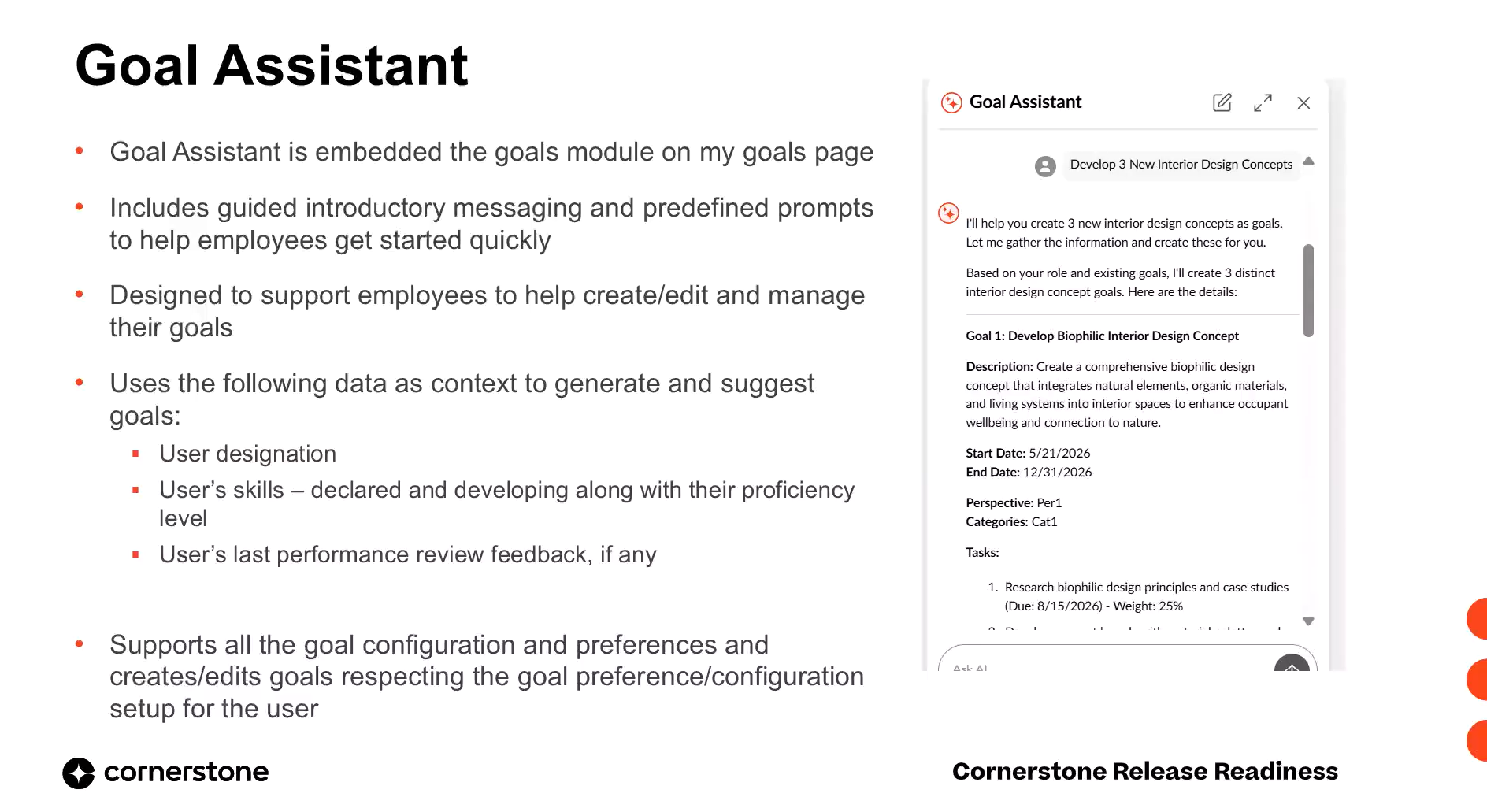
This release introduces Goal Assistant, an embedded AI-powered tool in the redesigned Goals module that lets employees and managers create, refine, and manage measurable SMART goals through conversational prompts. Users can generate goals from intent, perform bulk progress updates, track status at a glance, and ask contextual goal questions for instant answers. The assistant respects each user's configured permissions and goal preferences throughout.
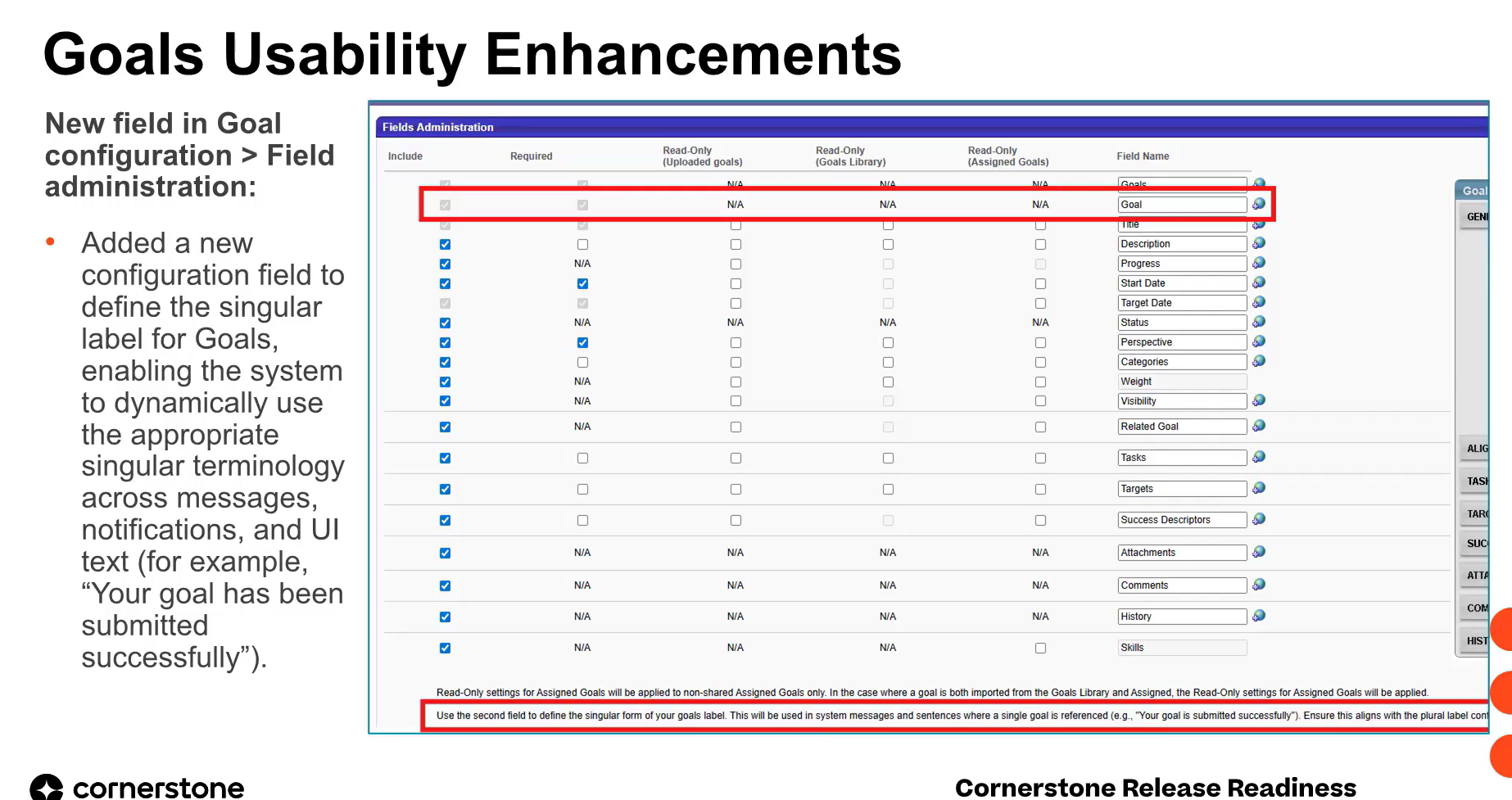
This release delivers a set of usability enhancements across the Goals module aimed at making everyday goal management simpler and more intuitive for employees and managers. Team Goals filtering is now aligned with My Goals, the goal description field gains a rich text editor, stretch and threshold target values appear in goal details, and administrators can define a singular goals label that the system applies dynamically across UI text and notifications.
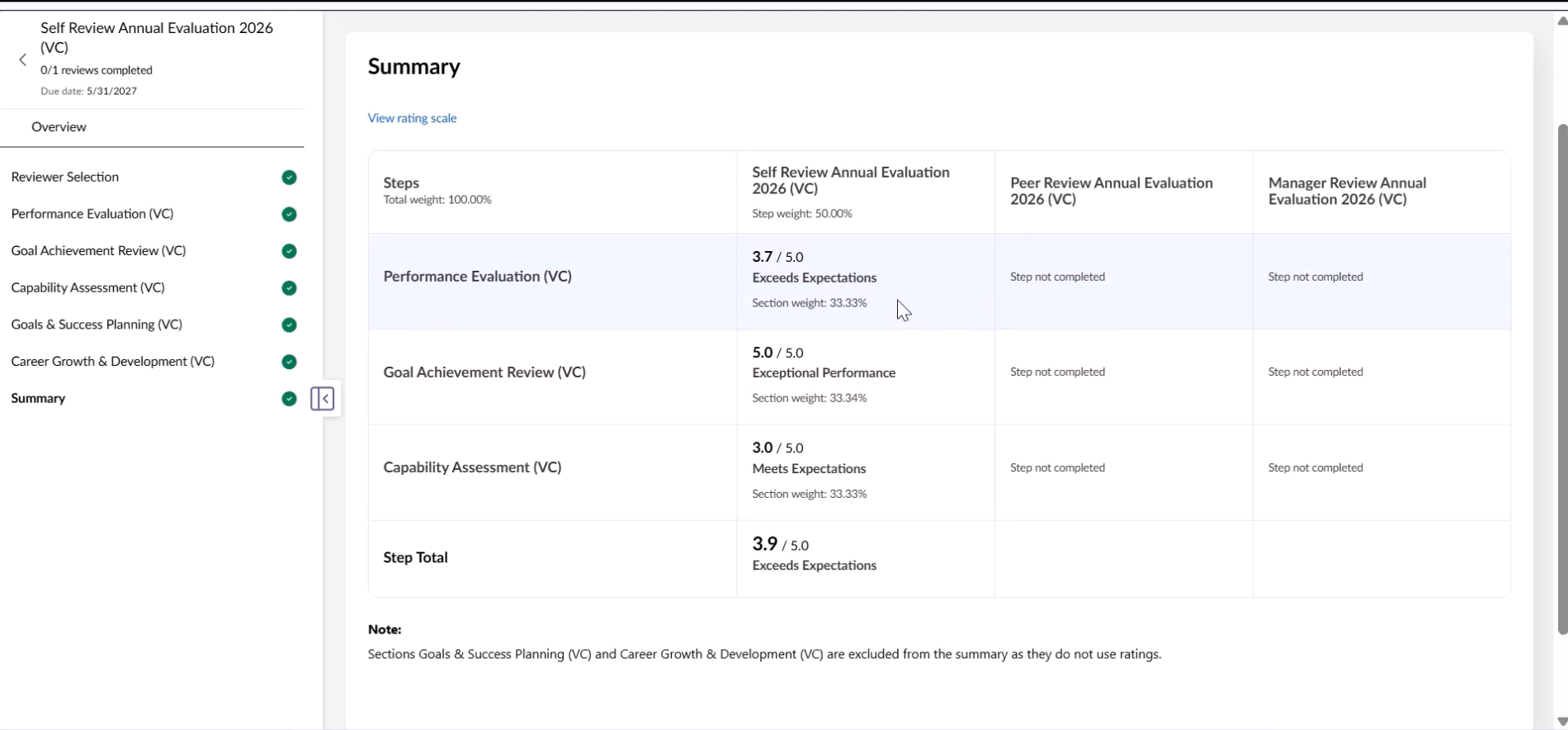
Phase 3 of the Performance Review Redesign modernizes the reviewer selection, overview, and summary sections with cleaner, React-based, fully responsive interfaces. Reviewer selection gains rich user cards, enhanced internal and external reviewer workflows, bulk actions, and stronger validation, while the overview and summary sections improve process visibility and rating transparency. An enhanced GenAI writing assistant adds tone, length, and response-history controls.
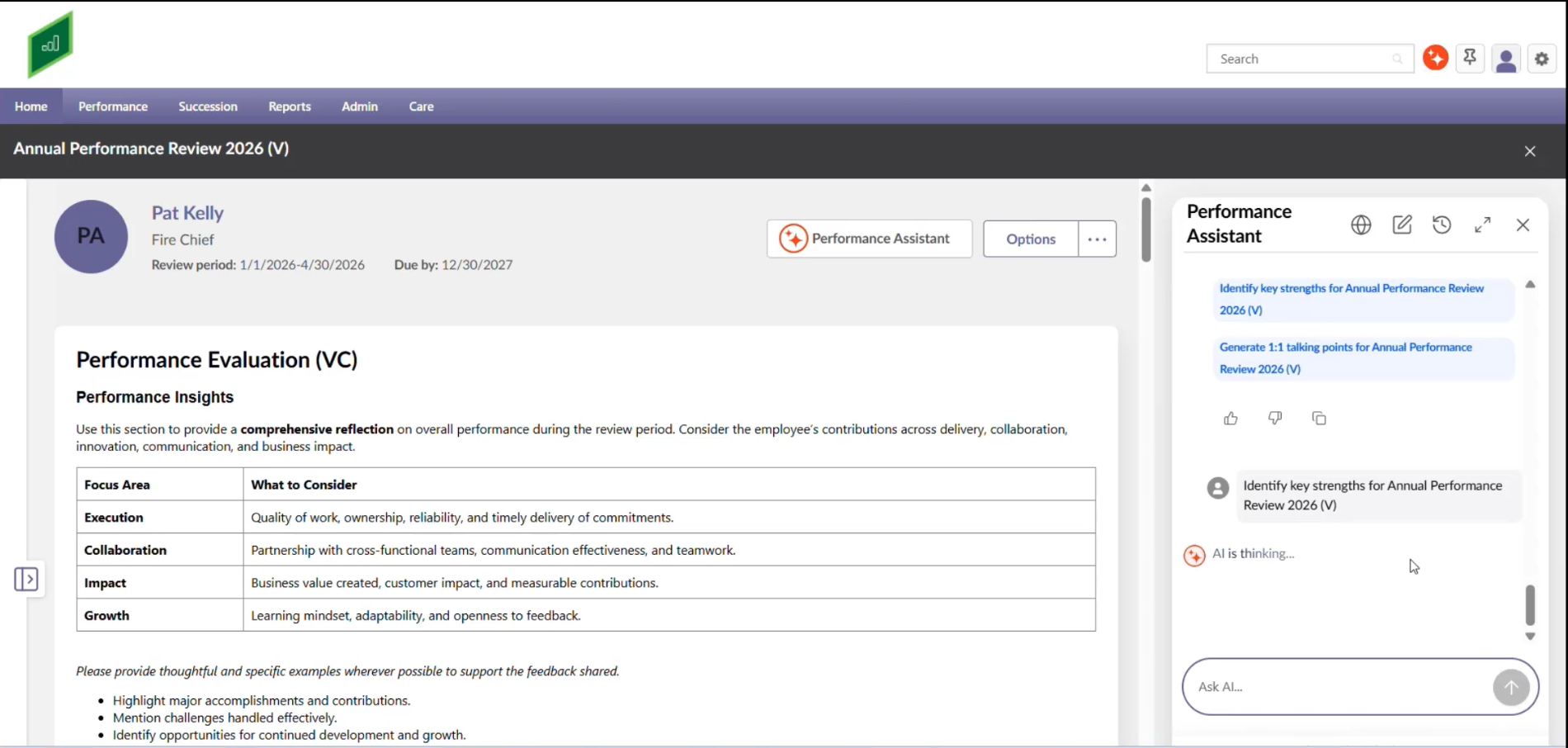
This July 2026 release introduces an embedded, AI-powered Performance Assistant within manager review tasks in Cornerstone Performance. It synthesizes employee review and skills profile data into concise summaries, strengths, development areas, and one-on-one talking points. Managers gain guided, in-context support to prepare for and conduct more meaningful, development-focused performance conversations.
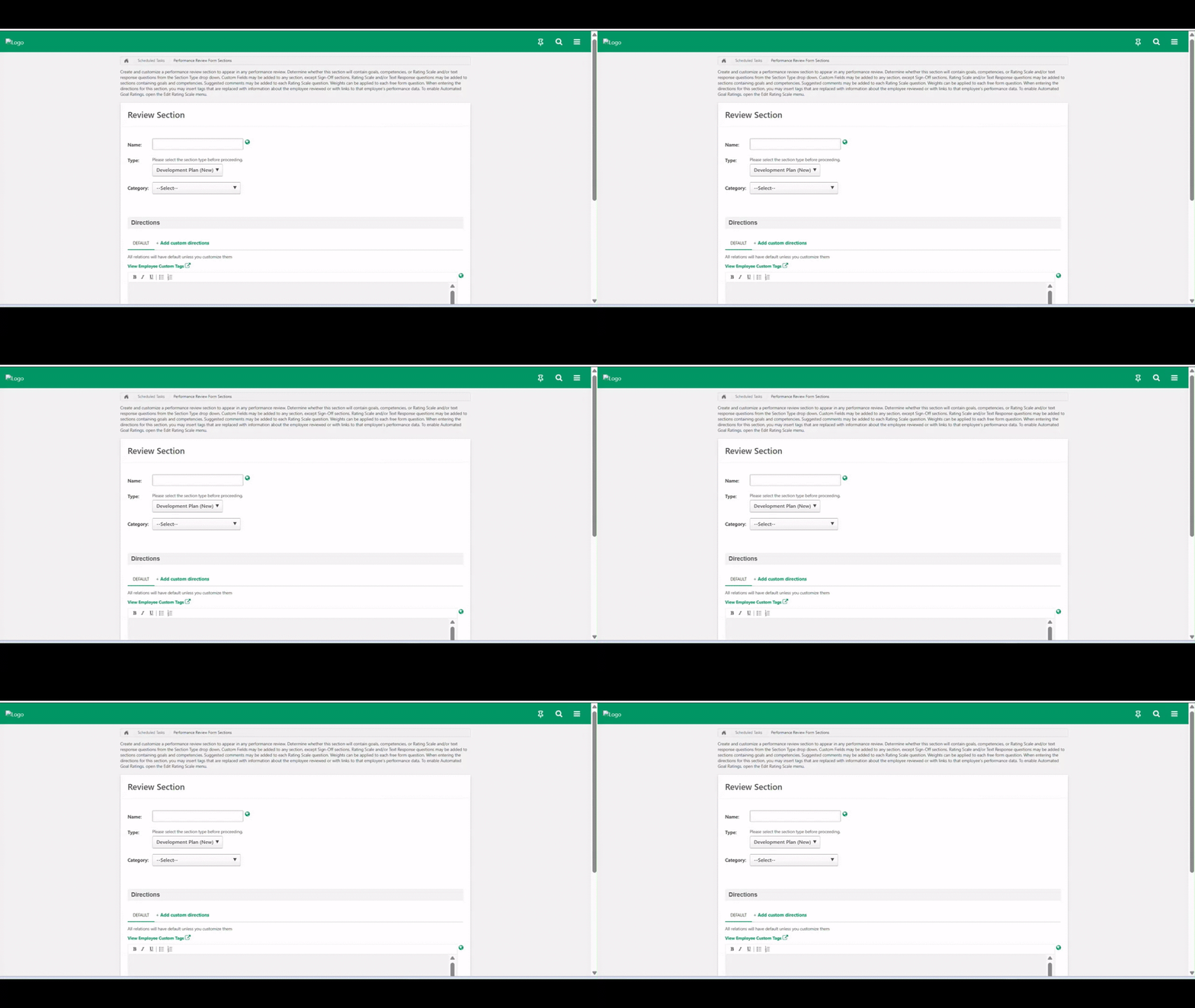
This release introduces a modern, unified development planning experience directly within the performance review workflow. Employees and managers can now create and edit development plans—adding objectives, skills, learning items, and tasks—without leaving the review task. The redesigned section aligns visually and functionally with the standalone Development Plan module and syncs in real time once reviews complete.
Development plans now begin with an optional Plan Purpose dropdown that prompts employees to define their underlying motivation before building a plan. This anchors each plan to a clear intention—growing in the current role, preparing for an aspirational role, performance improvement, or skill building—reducing vague, unfocused planning. The field also lays the foundation for upcoming AI-powered recommendations.
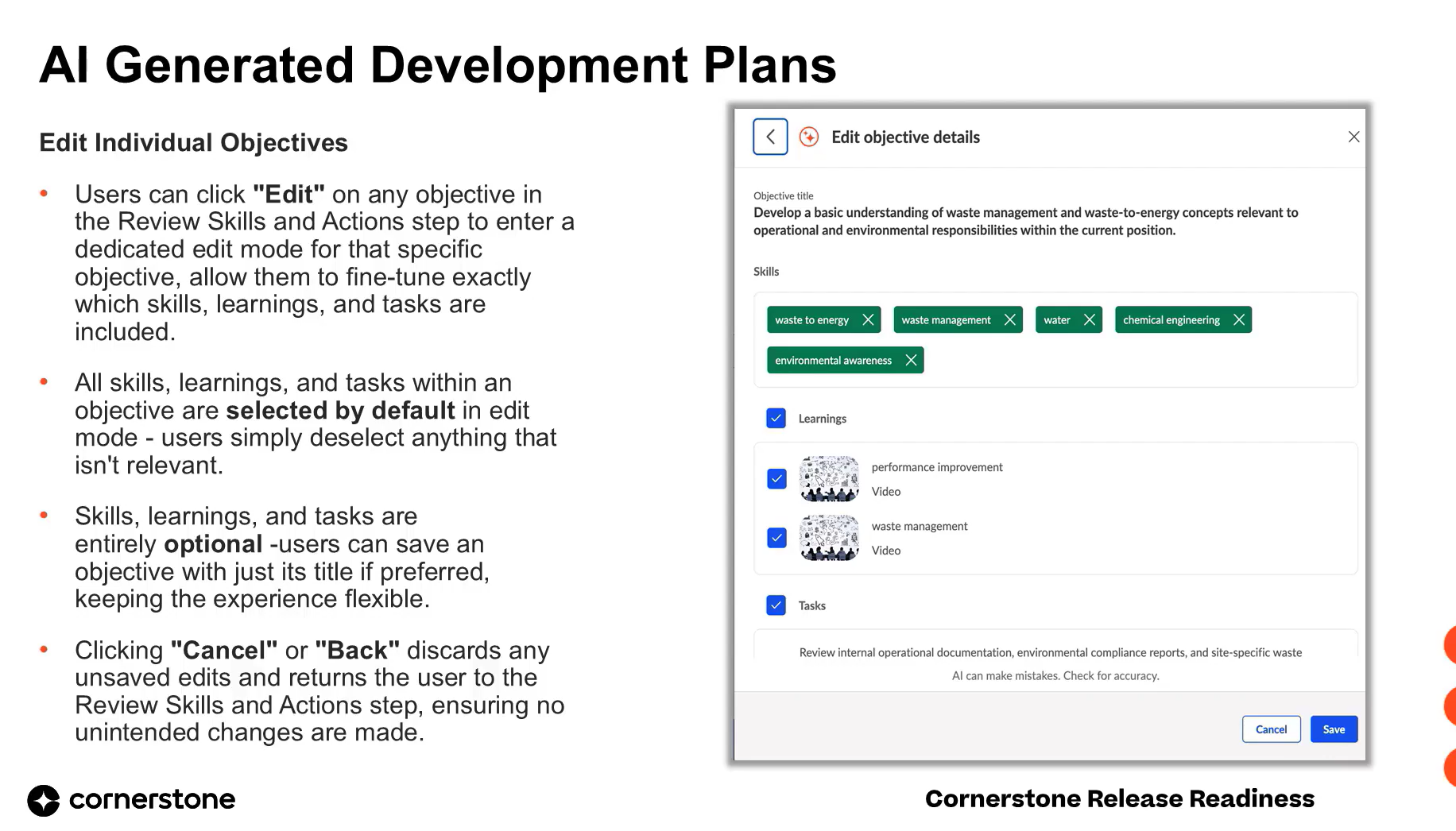
This release introduces AI-generated development plans, allowing managers and employees to instantly generate objectives, skills, learnings, and tasks based on plan purpose, title, and user profile. It replaces the slow, manual planning process with a fast, scalable workflow that produces relevant, high-quality, personalized plans. The capability is available to Performance Suite customers signed up for Elevate+.
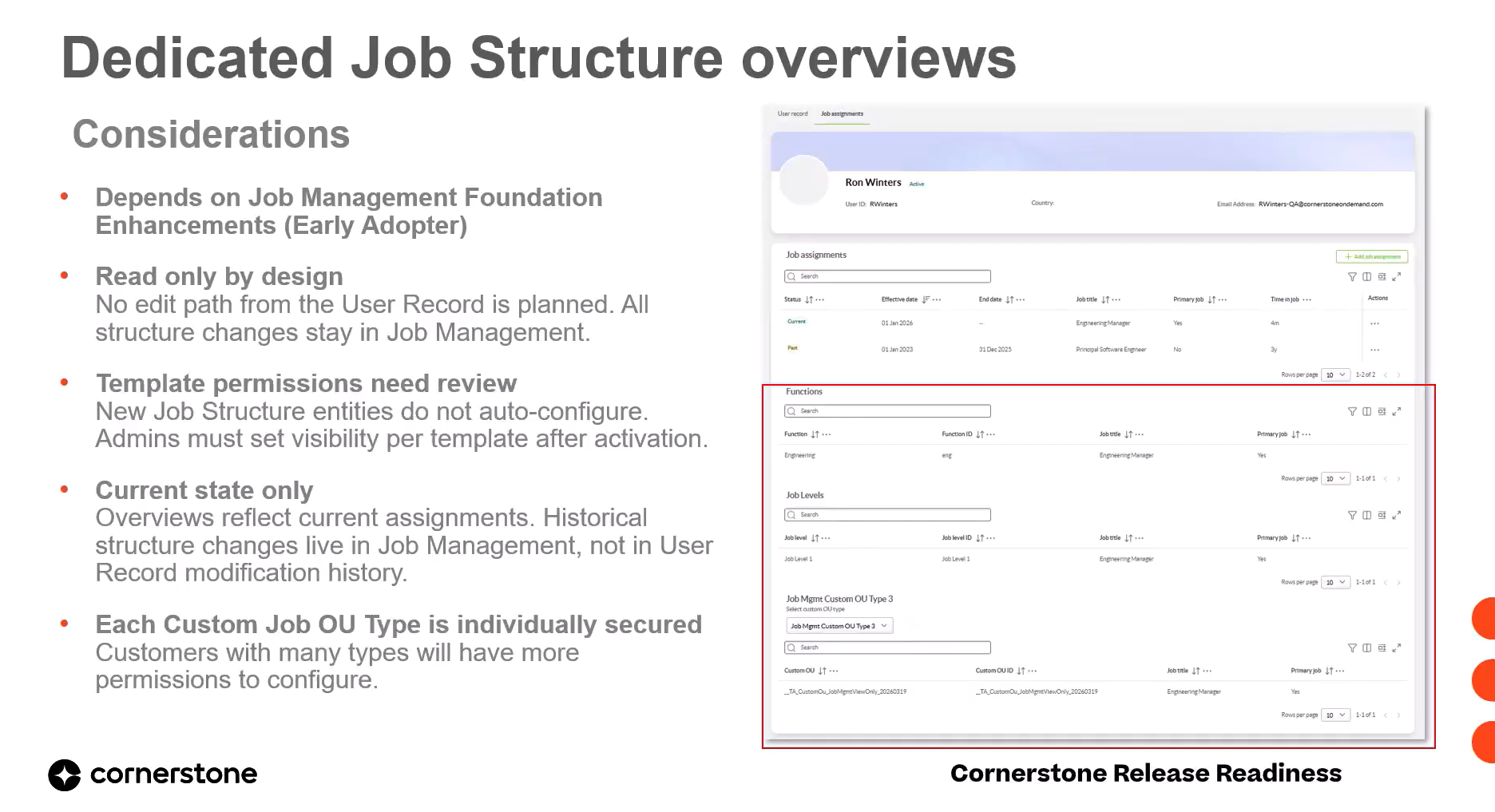
This release surfaces a user's current job structure—job levels, functions, and custom job OUs—as dedicated read-only overviews on the unified user record, sourced directly from Job Management. Job assignments remain visible across past, current, and future timelines, but structure details always reflect only the user's current assignments. Each overview is an independently secured entity within user record templates.
 Early Adopter
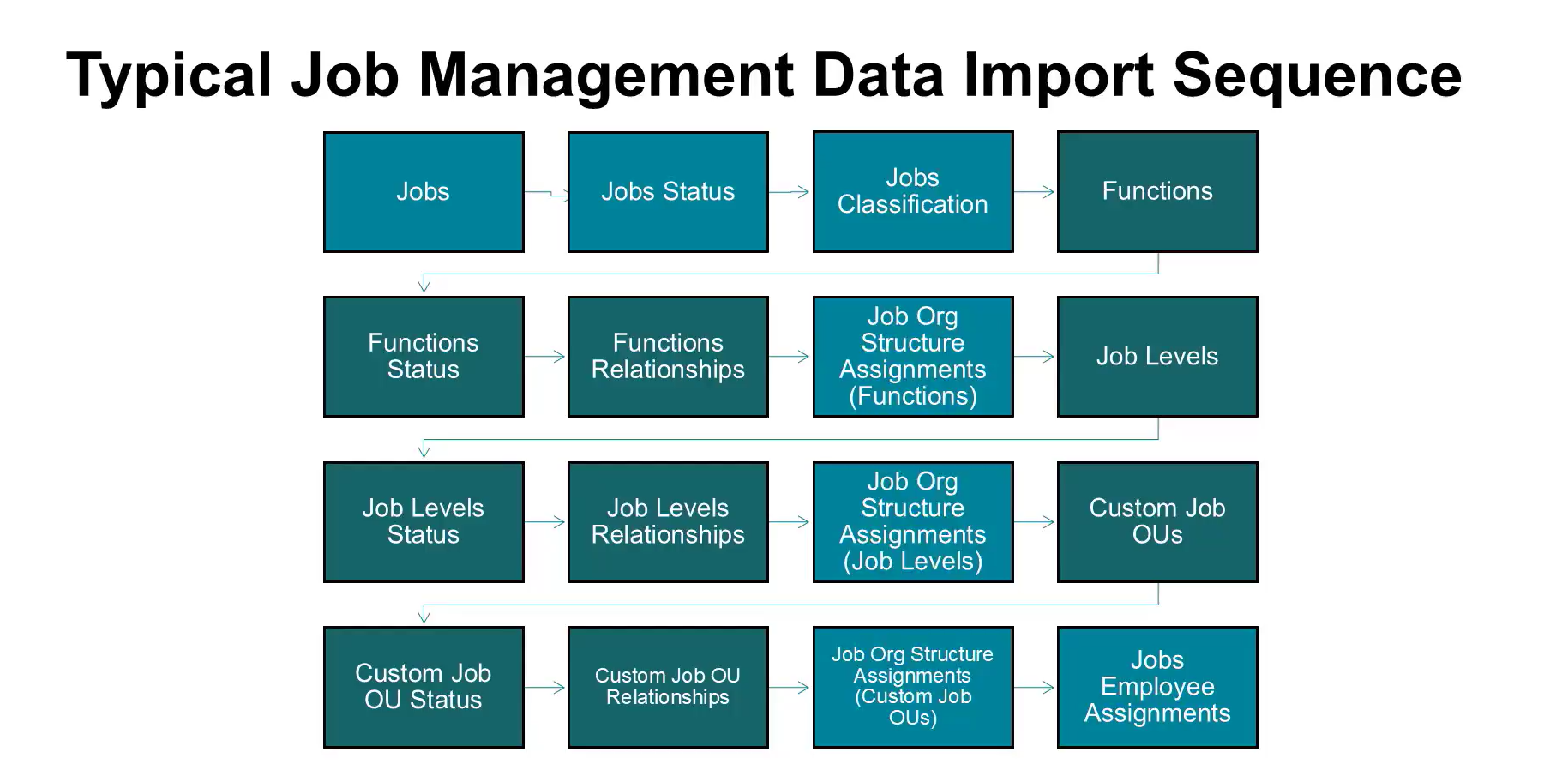
This July release enhances the Job Management Foundation, giving admins more flexible tools to manage jobs and their structure. It introduces custom OU types tied to jobs, custom field management, AI-based next job detection, and expanded Edge Import data loads. These changes improve job currency, consistency, and integration with other talent management processes.
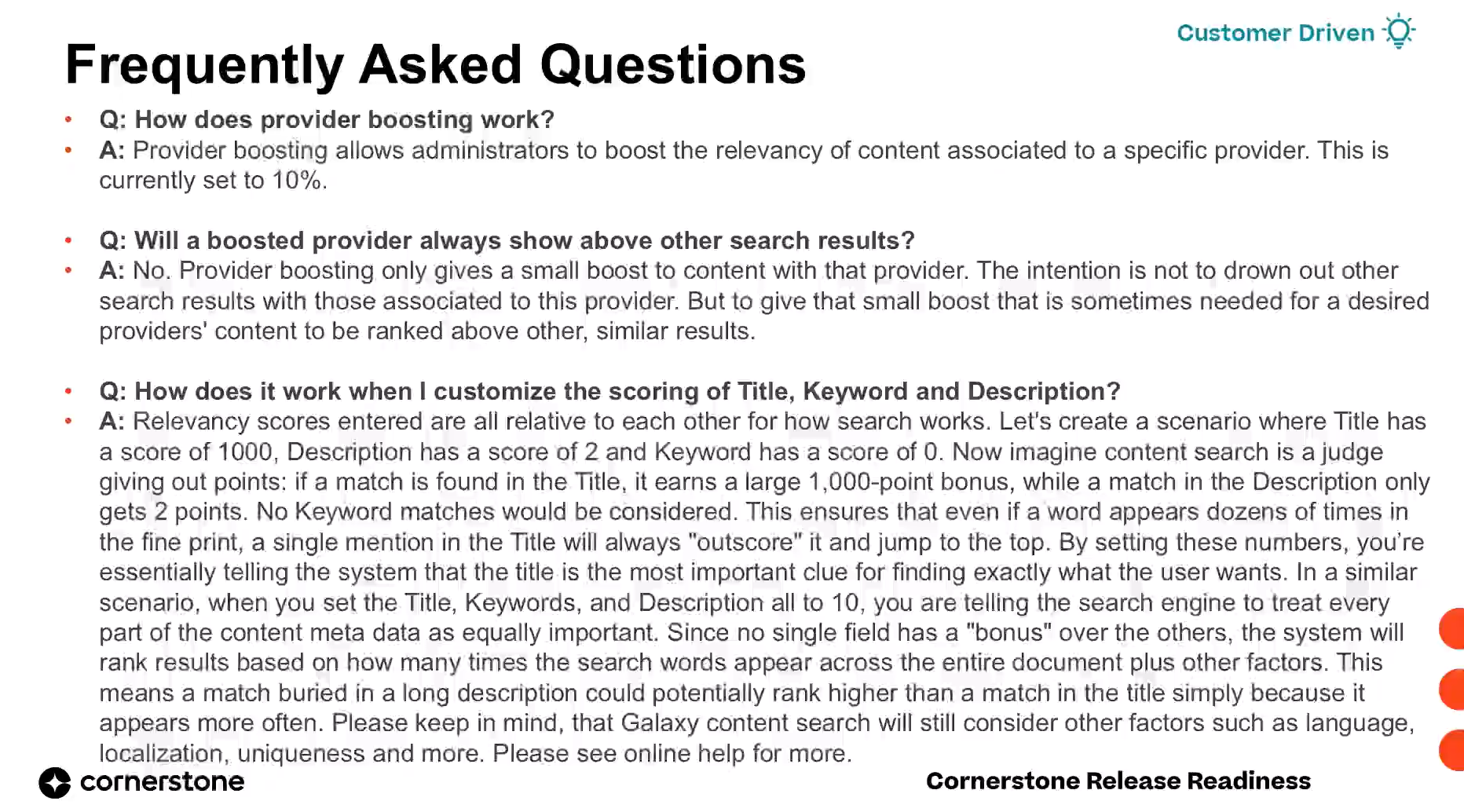
Customers on Galaxy Single Architecture can now customize keyword search scoring for Galaxy Global Search content. Administrators can choose between Learning Management, Galaxy, or Custom relevance scoring, fine-tune weighting across title, description, and keyword fields, and boost preferred providers. This gives organizations direct control over search relevance without restructuring their catalog.

This release gives administrators control over the global search experience in single architecture, letting them configure which content types and filters appear, enable Intelligent Search, and set preferences per division. End-users gain a new on-page search bar and expanded people search filters for faster, less cluttered searching.
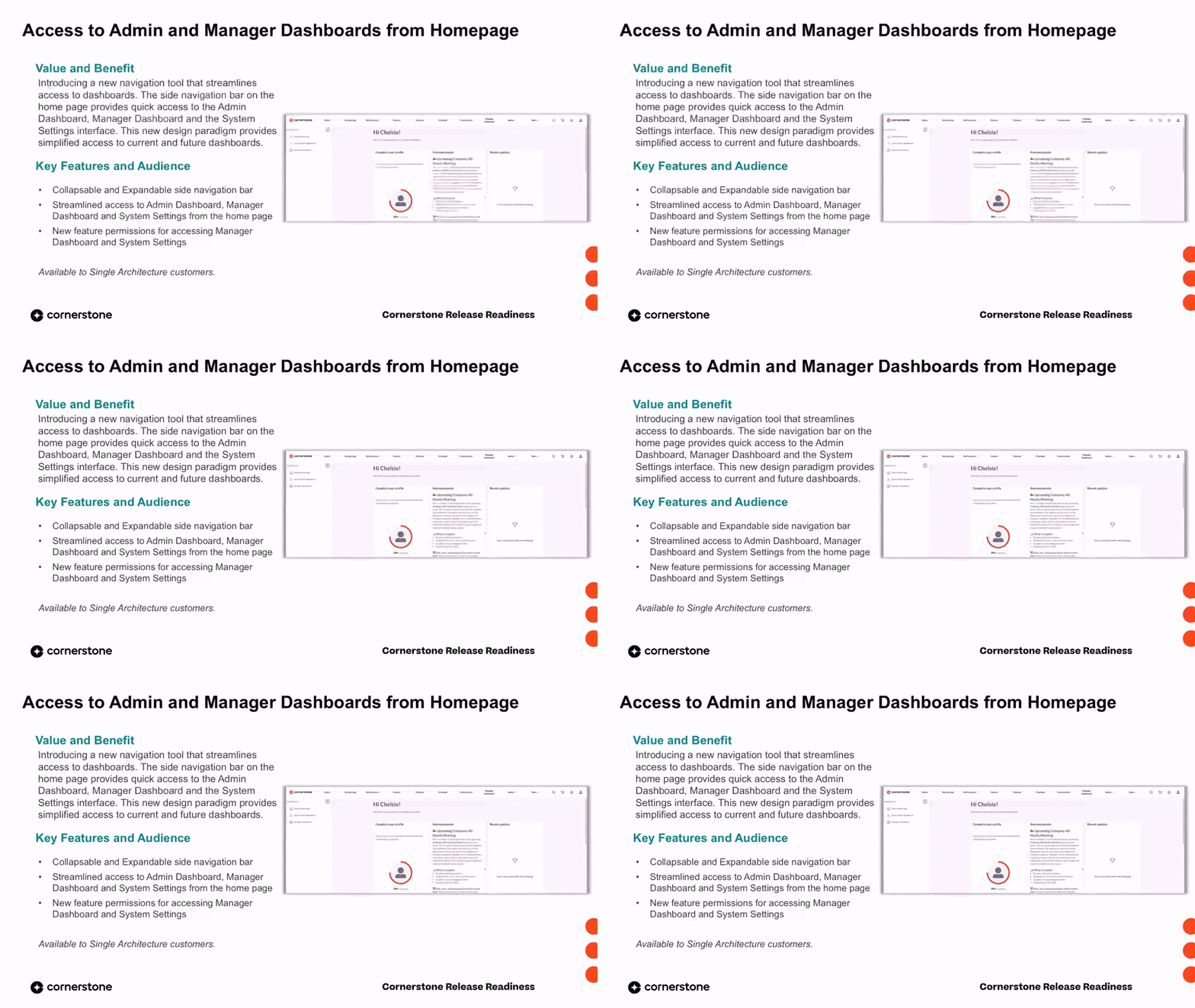
A new side navigation bar on the Galaxy home page provides quick, persona-based access to the admin dashboard, manager dashboard, and system settings. It can be expanded or collapsed, respects feature permissions, and reduces the time and cognitive load required to move between key administrative workspaces.
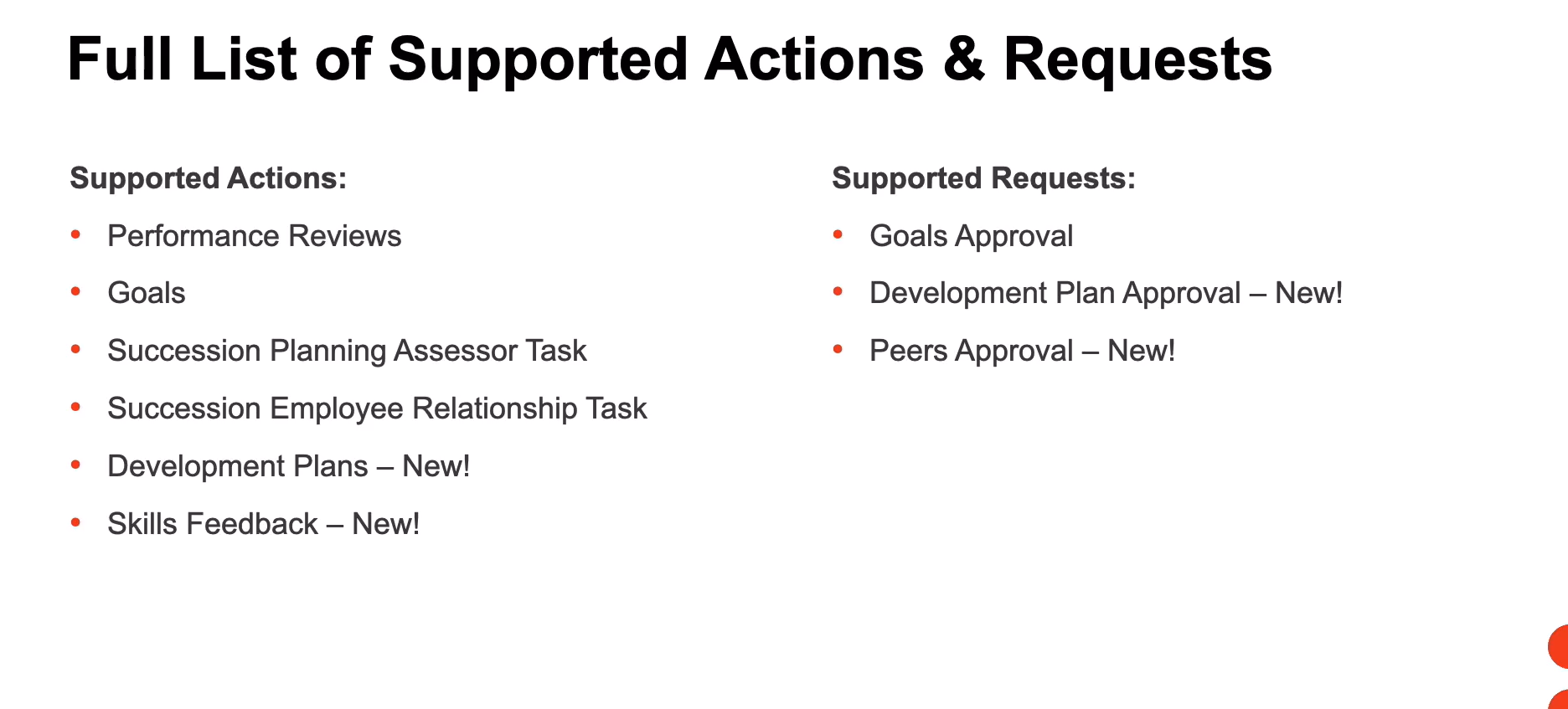
The Actions and Requests homepage widget now supports additional action and request types, giving employees and managers quick, centralized access to more pending items directly from their homepage. New supported actions include development plans and skills feedback, while new supported requests include development plan approvals and peer approvals. This reduces navigation overhead and helps surface actionable tasks where users start their day.
 Early Adopter
The Admin Dashboard now includes two new performance widgets that give admins consolidated visibility into goals and performance review tasks. Admins can track goal creation, compliance, and completion health, and monitor review progress to identify gaps in reviewer assignment and workflow steps. This enables proactive action when goals or review tasks fall off track.
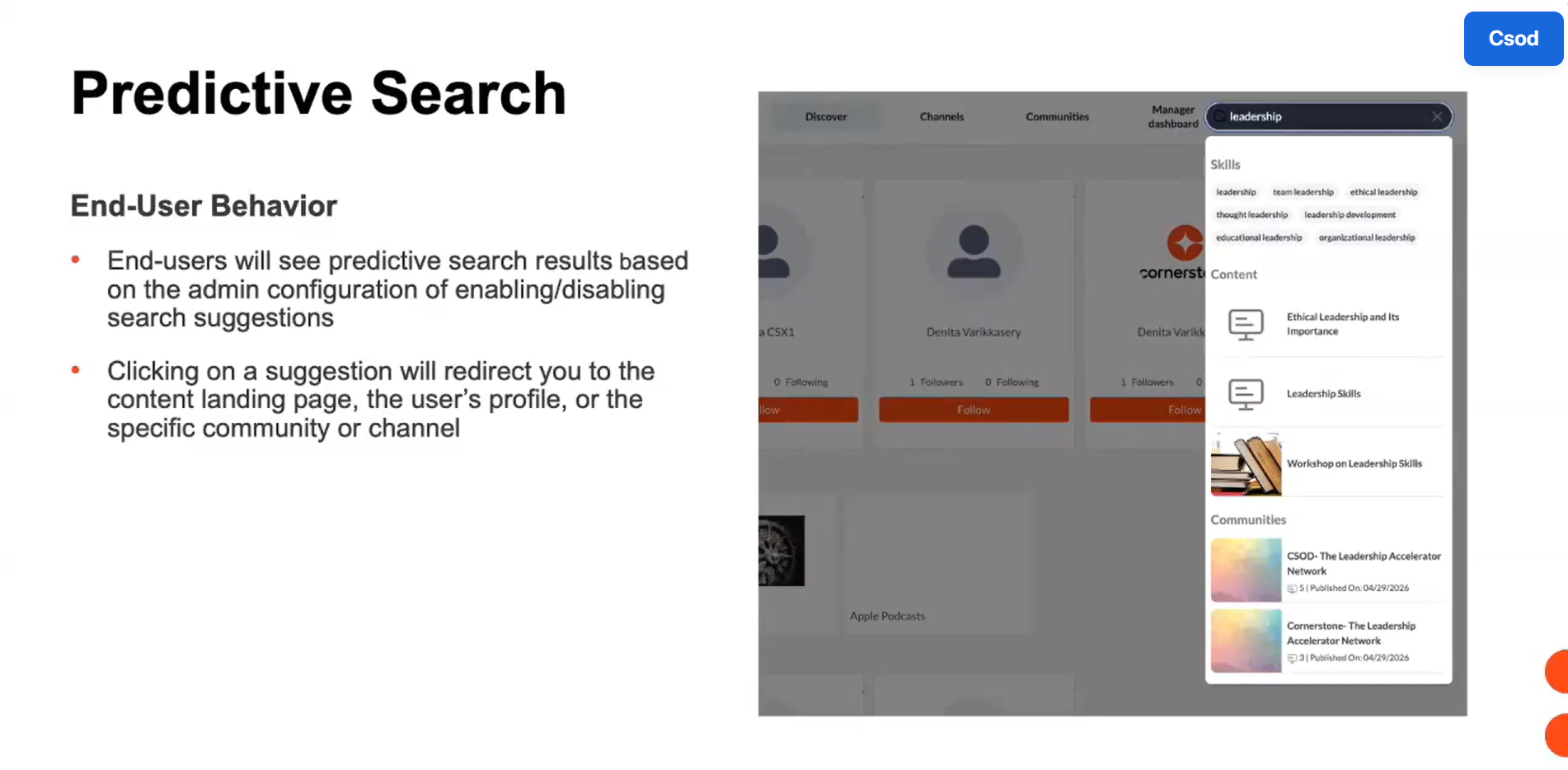
This release expands Unified Navigation to support extended enterprise features, predictive search, and access to the My Account page. Single architecture customers can now maintain access to subscriptions, the shopping cart workflow, fast keyword-based search results, and account management features when Unified Navigation is enabled. These additions preserve feature continuity within the standardized navigation header.
This release adds audience selection to Theme and Branding, letting administrators apply specific themes to chosen organizational units (OUs). Audiences can now be configured to view only the branding selected by the administrator, ensuring the correct theme is consistently applied to the right groups across the platform. This capability is available to customers using single architecture.
 Early Adopter
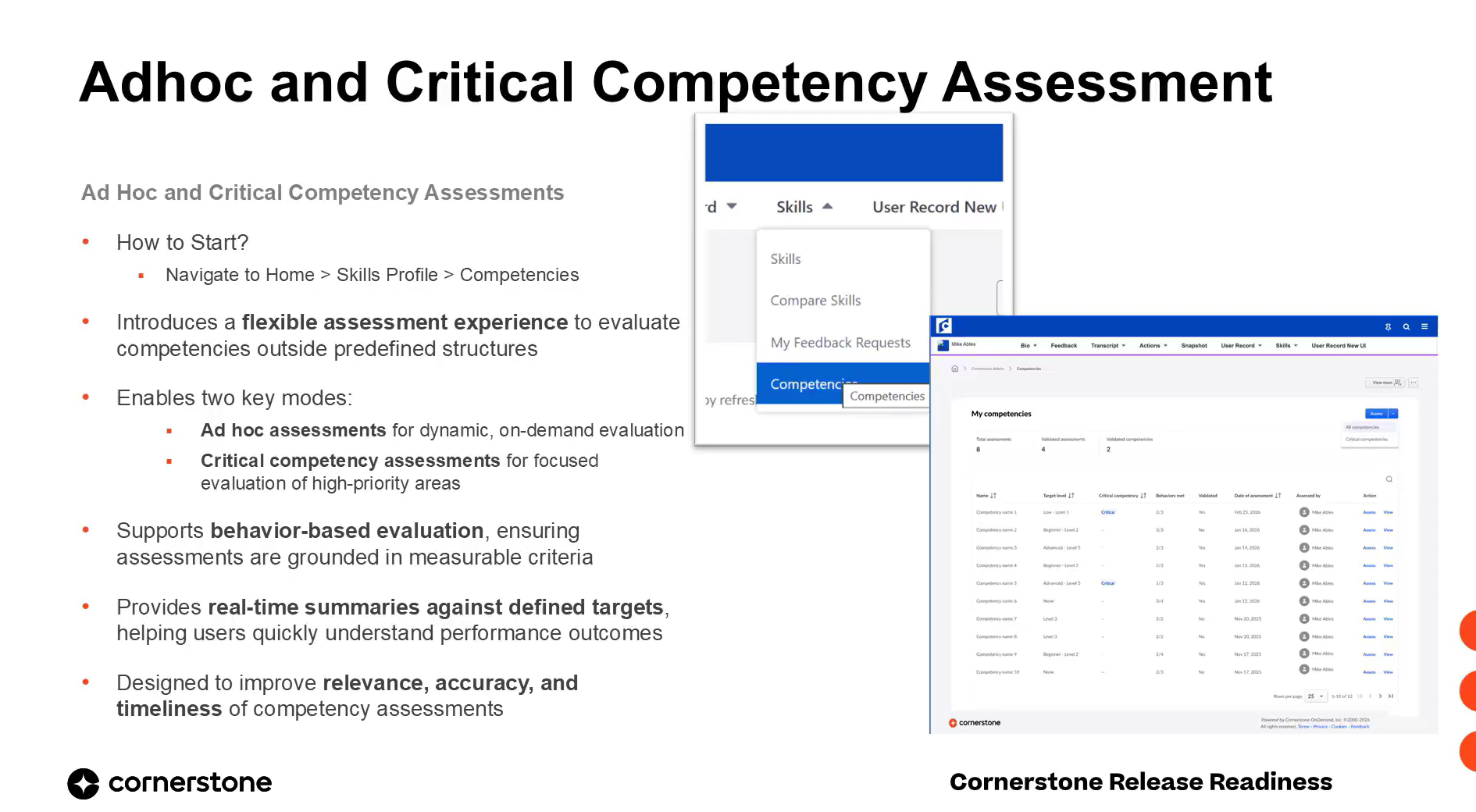
This release introduces a new ad-hoc and critical competency assessment experience for the capabilities framework competency type. Users can dynamically select one or more competencies to evaluate on demand, complete behavior-based ratings with comments, and view real-time summaries against target levels. The experience makes assessments more flexible, targeted, and aligned to actual business needs.
 Early Adopter
This release introduces a dedicated Enhanced Search tab with structured fields and AND logic, persistent user status across tabs, and three new permissions that constrain manager, approver, and org-unit visibility. Driven directly by customer feedback, it makes user search faster to navigate, more predictable to refine, and safer to expose across roles.
 General Availability
This release advances the Unified User Record with three major capabilities: modification history governed by template permissions, import and export of structure and templates across environments, and a full-record effective-date view. Together they reduce administrative effort, improve governance consistency, and give every persona access aligned to what they are permitted to see.
 Early Adopter
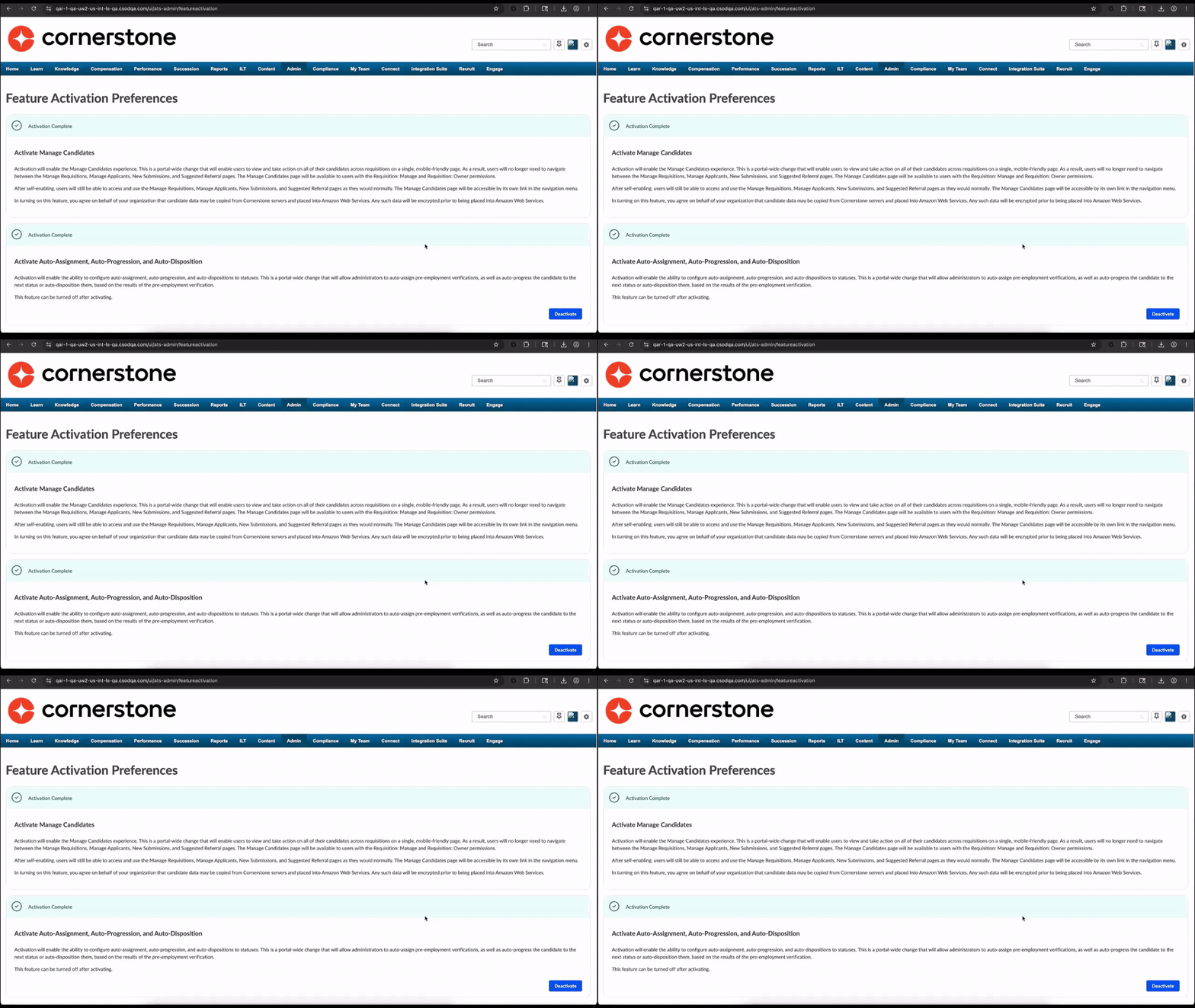
The July 2026 release expands the new Group Membership Calculator framework, shifting group membership processing from scheduled daily refreshes to continuous event-based updates. Support now extends to additional dynamic criteria and standard fields, so qualifying groups recalculate automatically whenever a relevant user or group attribute changes. The Feature Activation Preferences page is also updated to show real-time framework enablement status.
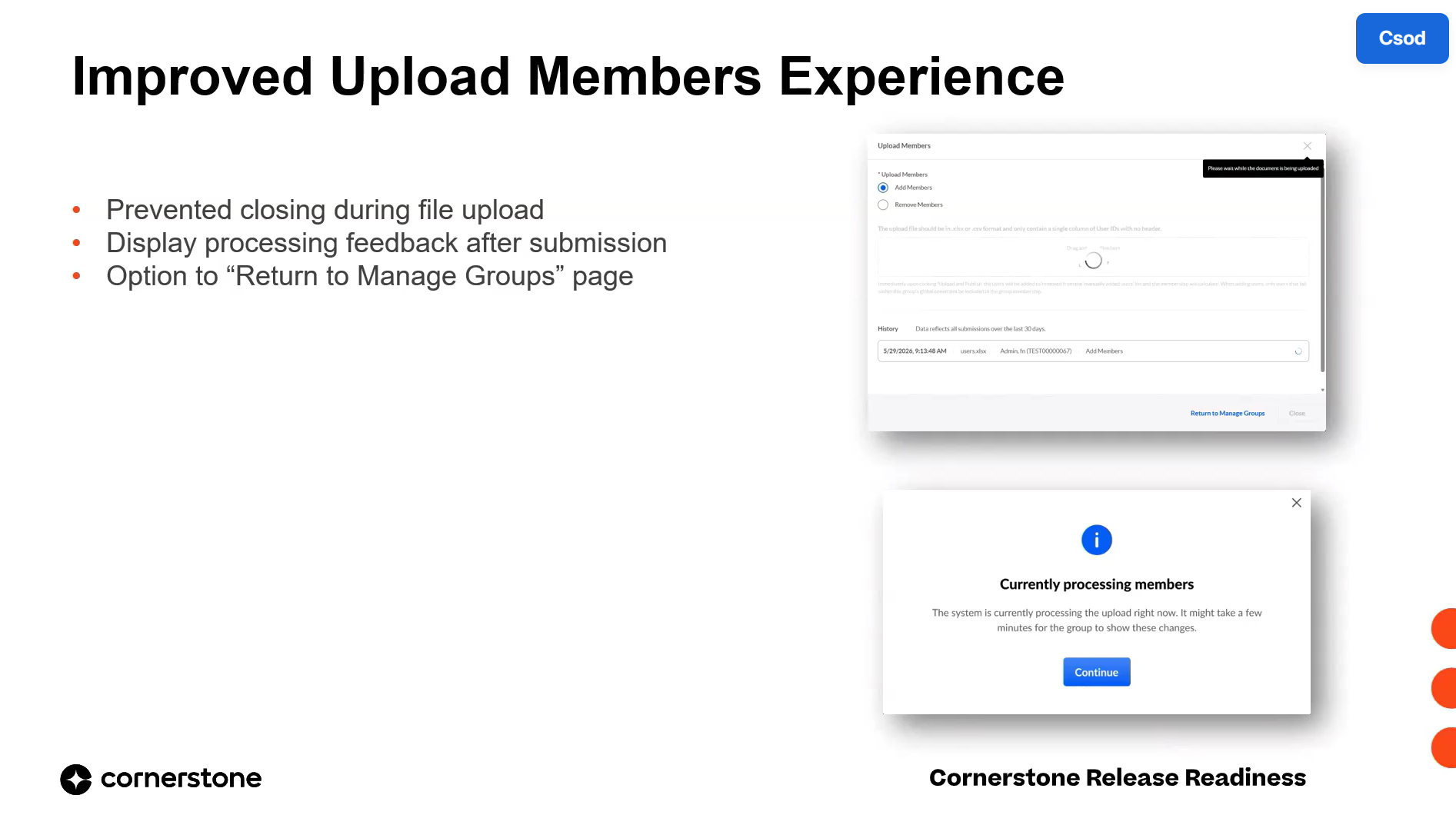
The July 2026 release delivers usability enhancements to the redesigned Groups experience, focused on clearer upload feedback, more precise search, and feature completeness. Administrators gain toast notifications for OU uploads, a protected upload-in-progress state, attribute type filtering, advanced multi-field user search, and full UI support for certification-based criteria.
 General Availability
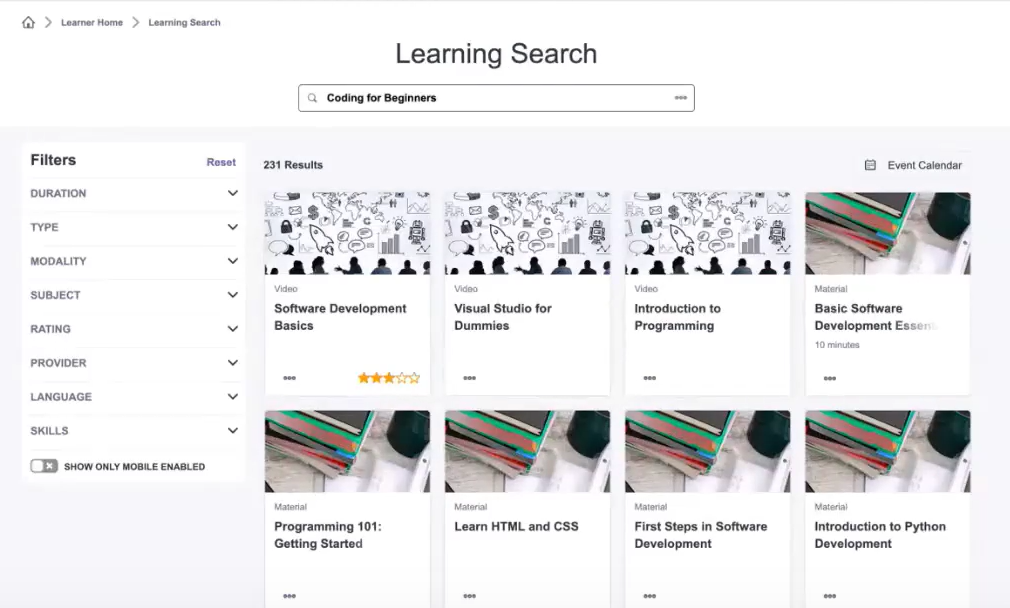
Intelligent Search uses semantic and vector-based technology to interpret the intent and context behind a learner's query, surfacing relevant content even when exact keywords don't match. It is available in Learning Search, Global Search Training, and Galaxy Global Search Content, and learners can toggle between Intelligent Search and Keyword Search. The feature is governed by administrator preferences and reaches general availability in the July 2021 release.
 Early Adopter
This release introduces a centralized Admin Panel for Learning Communities, giving administrators a single interface to manage all communities, topics, and posts. It streamlines moderation, content management, and reported content handling, improving community health and administrative efficiency. The panel is accessible to users with existing Manage Communities permissions and requires no new setup.
 Closed Beta
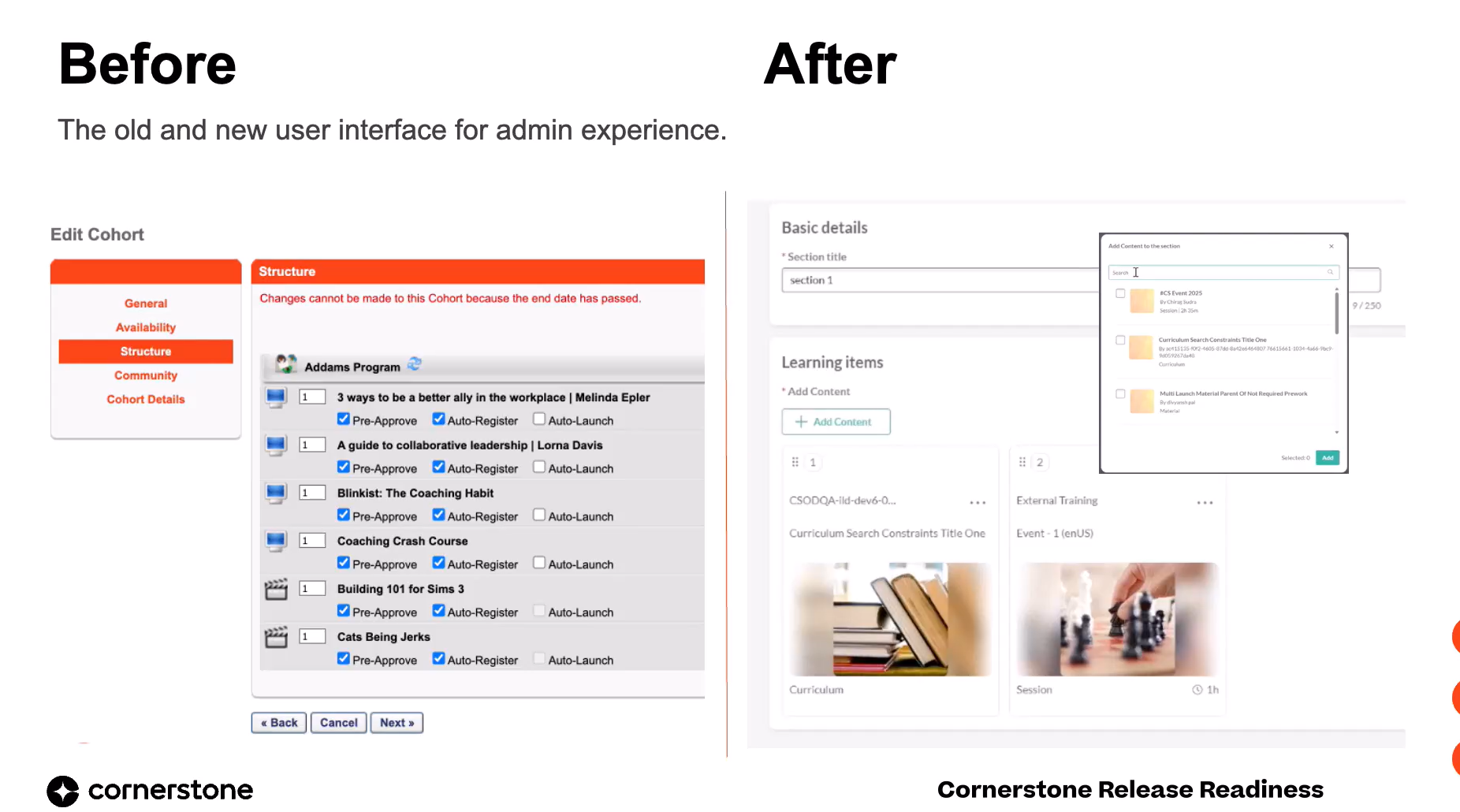
This July 2026 release introduces Learning Cohorts: private, invitation-only groups nested within topic-based communities for structured, time-bound learning. Cohorts replace the legacy Connect module, delivering guided group journeys with dedicated authors, peer collaboration, and real-time progress tracking. The feature drives higher program completion rates and consistent knowledge acquisition for initiatives like onboarding and certifications.
 Early Adopter
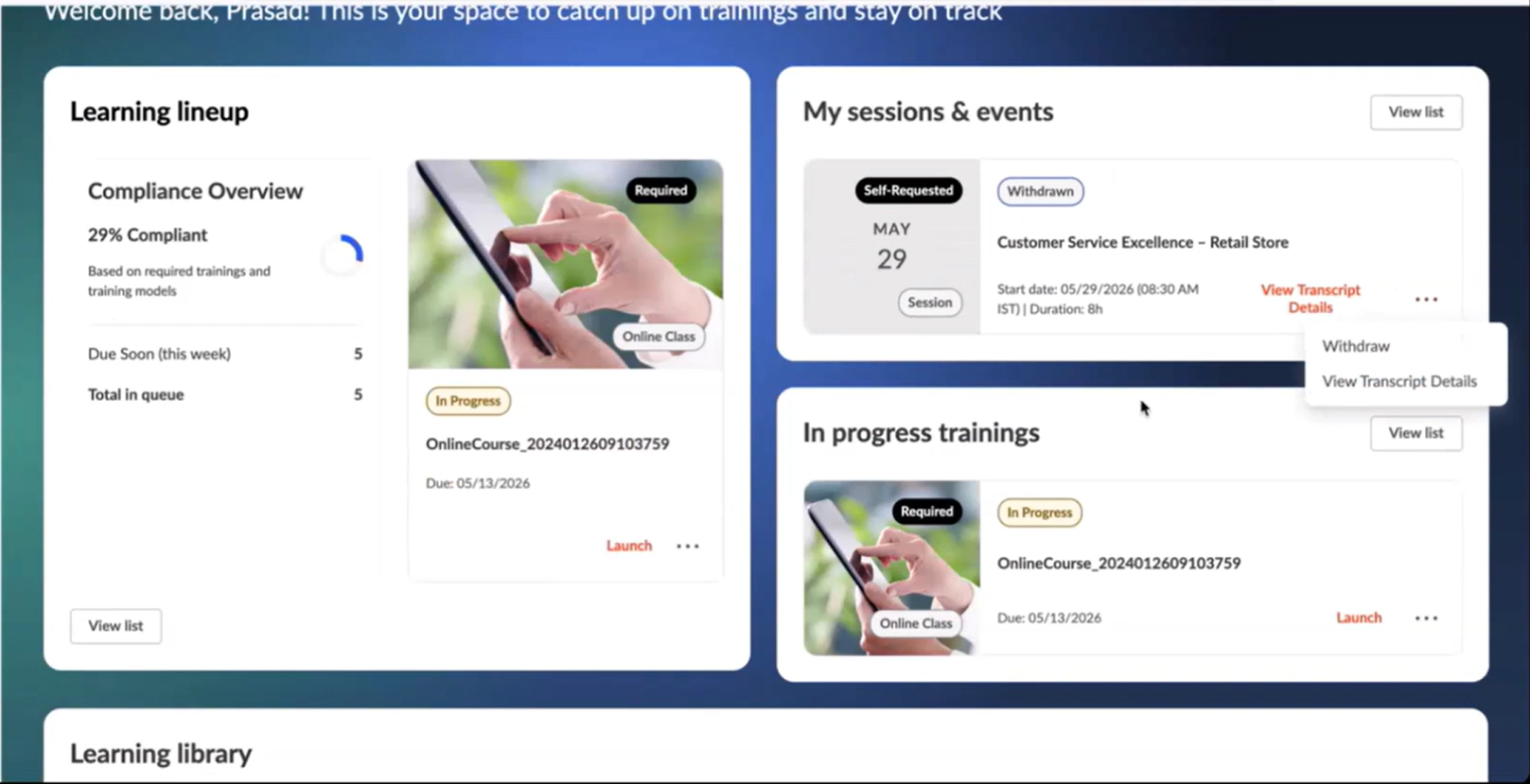
The MyLearning page for single architecture customers gains transcript-equivalent capabilities in the July 26 release. Learners can now view and download training certificates, run on-the-job training (OJT) observer workflows, and withdraw from sessions directly from the page. Performance optimizations keep learner progress accurate and intact in a single real-time view.
This release extends the Manager Dashboard into an Organization Dashboard, giving organization managers and indirect managers centralized, configurable visibility into team learning, assignments, and activity data. Managers can switch between multiple reporting relationships within a single experience, while administrators configure all dashboard settings from one unified preferences page. The enhancement is available for single architecture customers and enabled by default.
 Early Adopter
This release introduces the Universal Learning Details page, an early adopter feature that delivers a single, modern, and consistent training details experience across supported LMS and LX learning objects. It replaces fragmented, type-specific detail pages with one unified layout featuring a consistent header, tabbed navigation, and standardized actions. The result is reduced learner confusion, fewer clicks from discovery to consumption, and a future-ready foundation.
 General Availability
Training model assignment email notifications can now include a new training.title.list tag that displays the full, distinct list of trainings assigned by a training model. Previously these notifications lacked training details, leaving users and managers without visibility into what was actually assigned. The tag must be manually added to the existing notification by an administrator.
Activating or deactivating a training model is now a standalone action in the actions menu, removed from the edit-and-publish workflow. This prevents accidental deactivations that previously caused unintended proxy deactivations and missed assignments. Status changes now require explicit confirmation and are fully tracked in modification history.
 General Availability
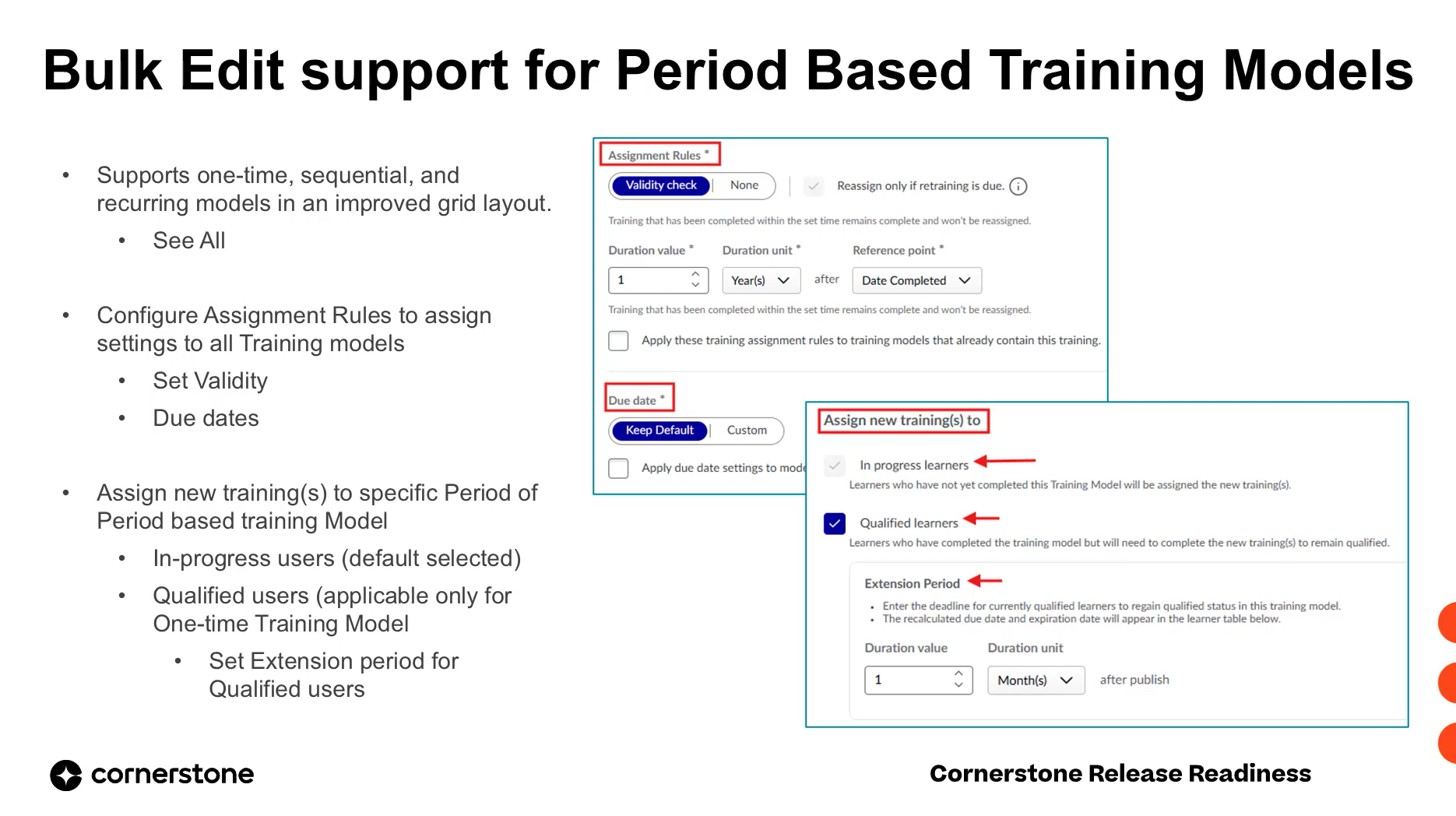
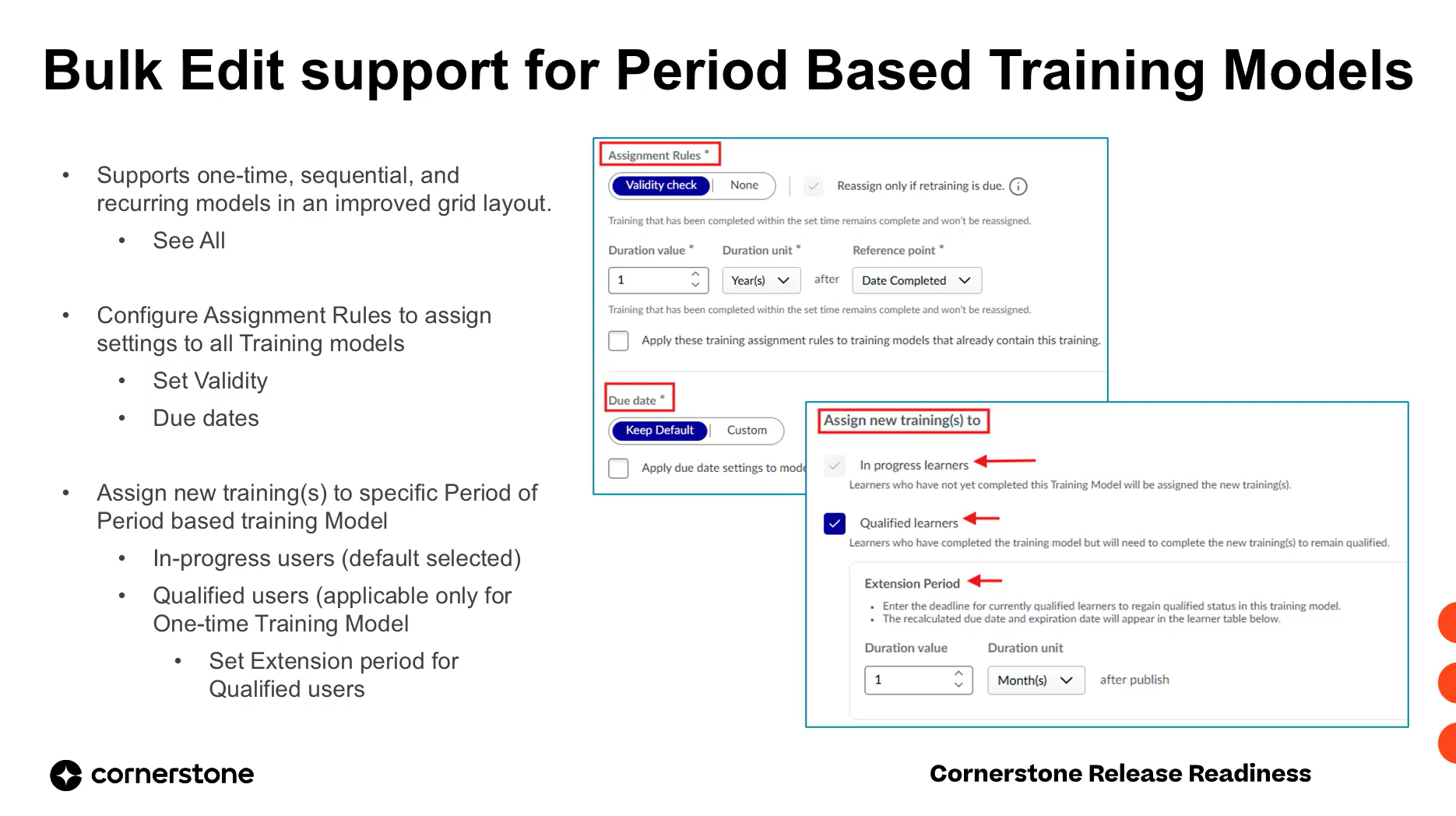
Bulk edit operations in the Training Model Manager now support period-based training models (one-time and sequential) in addition to recurring models. Administrators can add, remove, or replace trainings across multiple training models of any cycle type in a single workflow, with cycle-specific assignment rules and full audit tracking.
 Early Adopter
Managers and admins can now navigate directly from the View Team action to any team member's Compliance Training Hub page in a single click. The team list is sorted by training model progress to surface at-risk users first, and includes search to quickly locate specific employees.
 Early Adopter
Administrators can now add new trainings to already-published period-based training models, pushing them to both in-progress and qualified users without forcing requalification. For one-time models, qualified users receive a configurable extension period to complete the new training while retaining their qualified status.
 General Availability
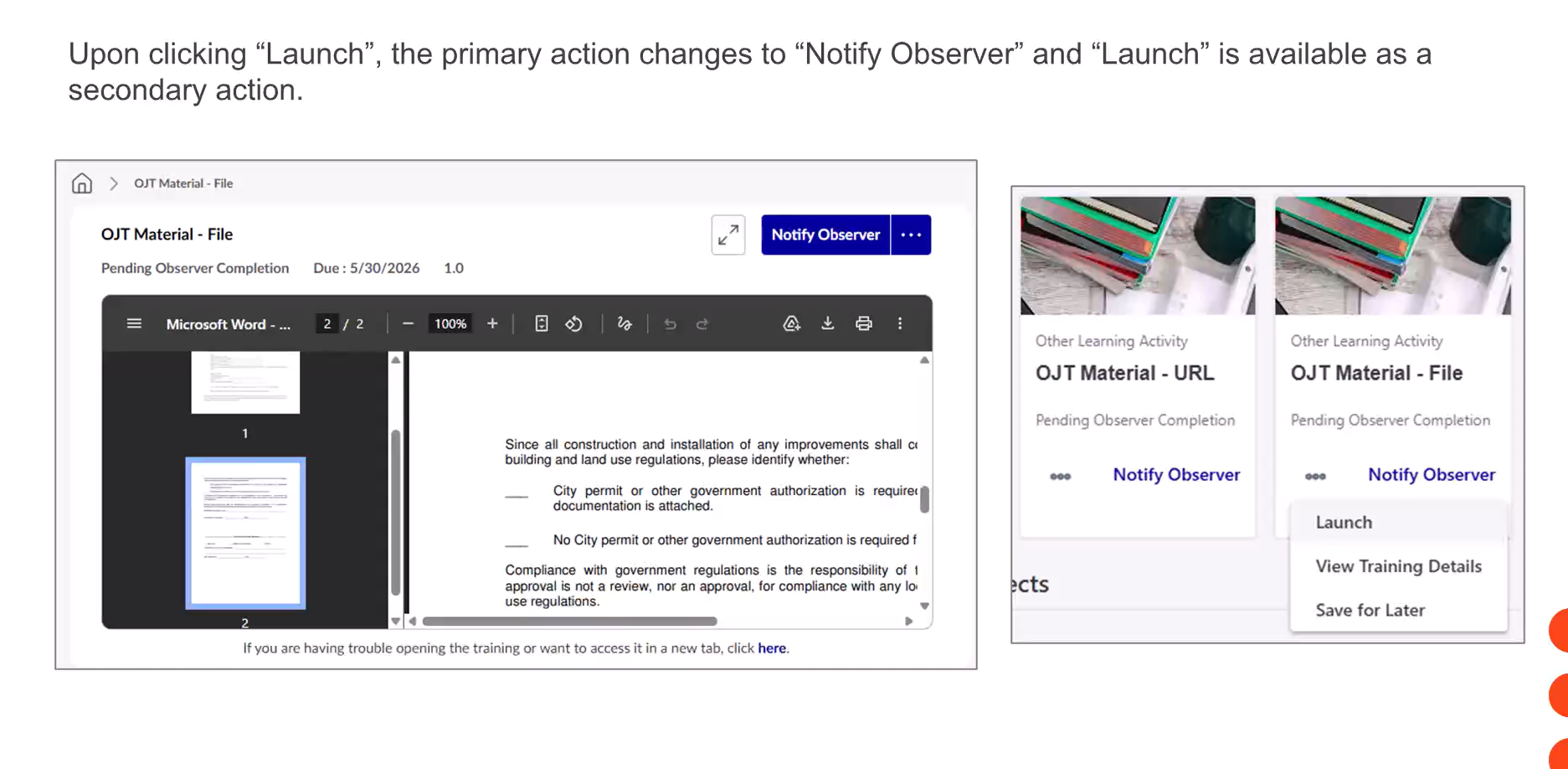
This release changes the default primary action for On-the-Job Training (OJT) materials that include a file or URL source. Launch now appears as the primary action, ensuring learners review the material before notifying observers, and a Started By entry is captured in transcript history and Reporting 2.0.
 General Availability
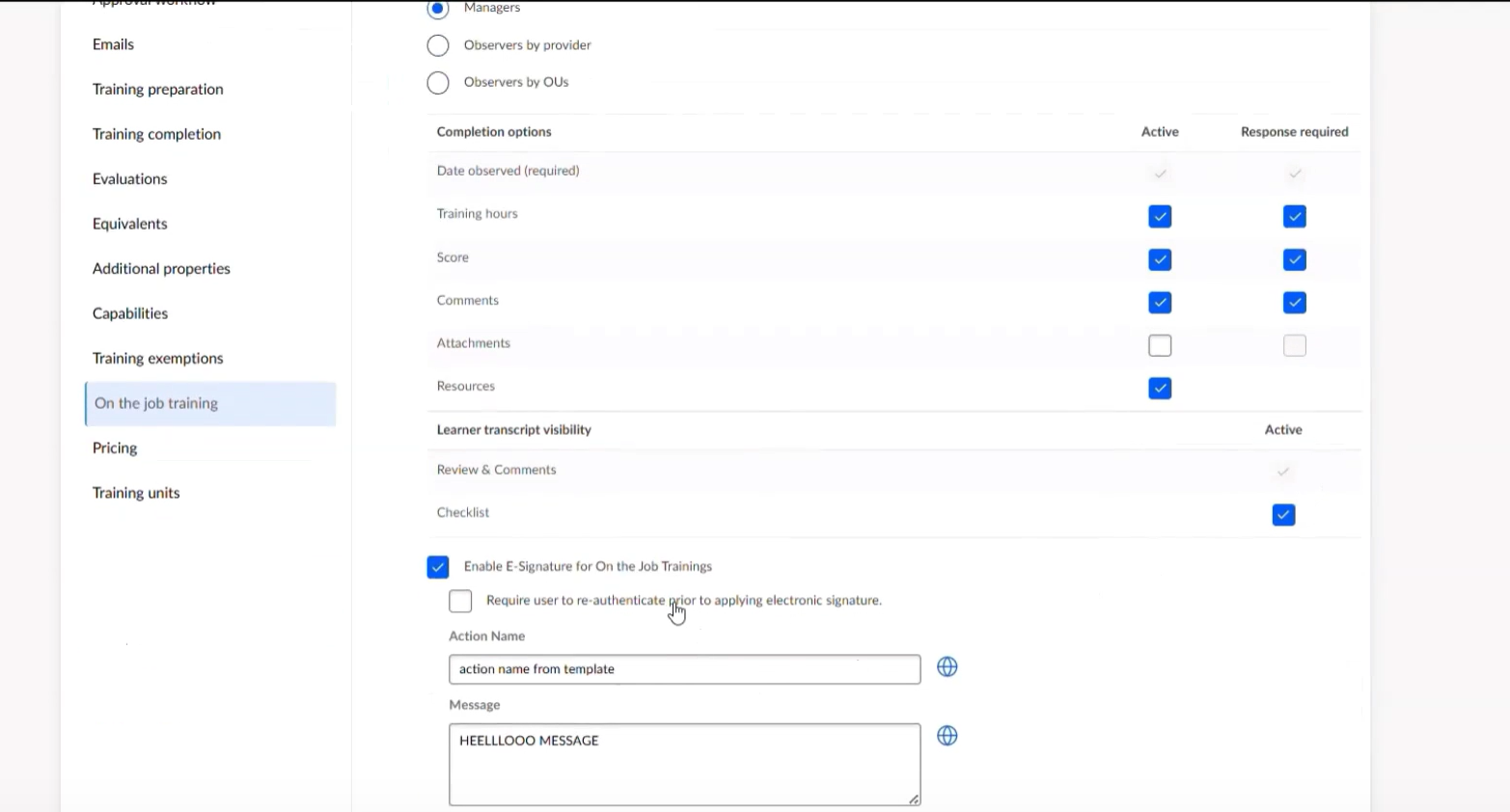
This release modernizes the on-the-job training experience by centralizing OJT material creation, checklist management, and observation tracking within Content Manager. Admins gain default templates and streamlined workflows, observers get improved search and cleaner review queues, and learners receive transparent access to completed checklists with e-signature acknowledgement.
 General Availability
This release delivers a comprehensive set of fixes and parity improvements for Curriculum Player 2.0 and One Player, eliminating dead ends, broken navigation flows, missing completion confirmations, and incorrect LO statuses. Administrators gain a new preference to control exit-course behavior, while learners get consistent completion pages, accurate progress tracking, and reliable certificate generation.
 Closed Beta
Learning administrators can now manually upload LTI content from any self-service LTI provider, eliminating the need for a customized connector and expanding access to external learning content.
 Closed Beta
This enhancement allows learning administrators to independently create and manage integrations with any LTI-compliant provider directly within Cornerstone. Previously restricted to CSOD LTI partners, this feature simplifies the connection process, enabling manual content uploads and expanding access to a wider range of external learning tools for end-users.
 Early Adopter
This release significantly enhances the Content Manager, empowering administrators with expanded capabilities for managing curriculum ownership, structure, and advanced configurations. It centralizes content governance and e-commerce activities, improving operational efficiency and control across the content lifecycle. Administrators can now define multiple owners, track structure modifications, configure nested curricula, and manage pricing and additional properties directly within the Content Manager.